
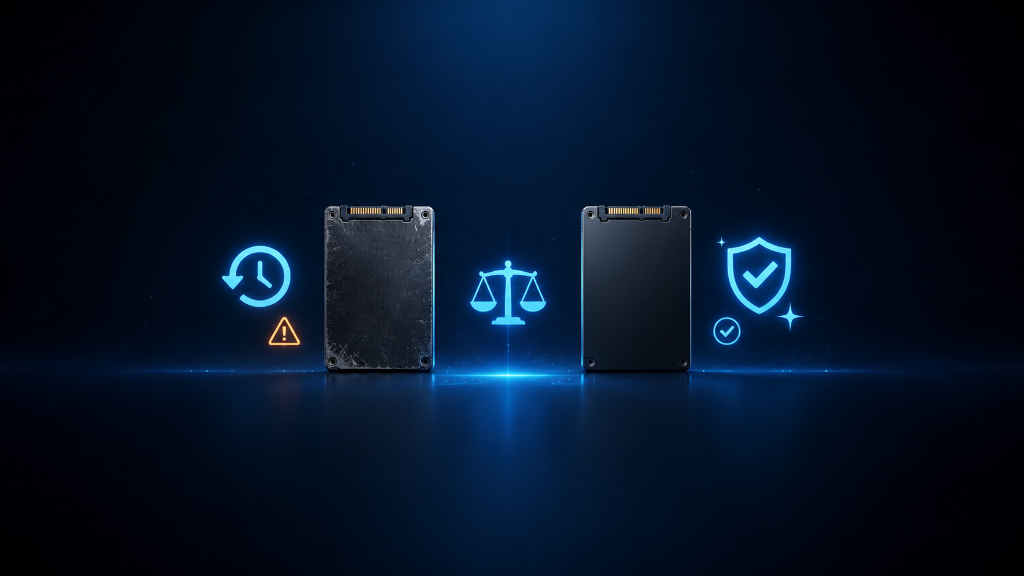
Used storage can look like a smart deal.
You may see a used SSD or hard drive with more space than a new drive at the same price. For beginners, that can feel exciting because gaming storage fills up quickly. More space means more games, more downloads, more screenshots, more recordings, and less time deleting things.
But used storage has one big question:
Is it safe?
The answer is not always yes or no.
Used storage can be okay for certain jobs, but it becomes risky when you trust it with important files, save data, or your main gaming setup without checking its condition.
New storage usually costs more, but it gives you a cleaner starting point, a warranty, and less uncertainty. Used storage can save money, but it may come with wear, hidden problems, or a shorter remaining lifespan.
The goal is not to fear used storage.
The goal is to separate safe savings from data-loss risk so you can choose the right option for your situation.
If you’re still learning how gaming storage works, our Beginner’s Guide to Gaming Storage: SSDs and HDDs explains the fundamentals so you can better understand your storage options before deciding whether to buy new or used.
The Cheap Drive That Became Expensive
Imagine a beginner sees a used drive online.
It has a large capacity. The price looks great. The seller says it works. The beginner buys it and feels like they made a smart move.
At first, everything seems fine.
The drive appears on the computer. Games install. Files copy over. The extra space feels useful.
Then small problems appear.
A game takes longer to load than expected. A file transfer fails. The drive disconnects randomly. A launcher has trouble reading a game folder. The beginner starts wondering if the problem is the game, the computer, the cable, the port, or the drive itself.
Now the cheap drive does not feel simple anymore.
The real cost was not only money. The real cost was uncertainty.
That does not mean every used drive is bad. Some used drives can still work well, especially for low-risk storage. But beginners need to understand the difference between a smart used-drive purchase and a risky one.
A used drive is not just “more storage.”
It is storage with history.
Choose Based on Risk, Not Just Price
New storage is usually the safer beginner choice when the drive will hold important data or become part of your main gaming setup.
If you are installing your operating system, main game library, save-related files, work files, personal files, or anything you do not want to lose, new storage is usually the better choice. A new SSD or hard drive gives you a fresh start, less unknown wear, and usually some kind of warranty or return option.
This matters because storage is not only about capacity. It is about trust.
Used storage can make sense when the job is lower risk.
For example, a used drive may be acceptable for temporary files, extra downloads, older games you can reinstall, screenshots you already backed up, or storage experiments where losing the drive would be annoying but not devastating.
The problem begins when beginners use a questionable used drive for important files without a backup.
That turns a small savings into a larger risk.
If you are considering used storage, check a few things before trusting it. Ask about the drive’s age, previous use, condition, and return option. If possible, check drive health after receiving it. Look for warning signs like slow transfers, disconnects, strange HDD noises, errors, overheating, or inconsistent detection.
Also think about the type of drive.
A used HDD has moving parts, so age and wear matter a lot. A used SSD does not have spinning parts, but it still has a limited amount of write life. Both can fail. Neither should be treated as safe forever.
The safest mindset is simple:
Do not trust a used drive with anything important unless you have a backup.
That one rule removes a lot of beginner risk.
If the drive is cheap but the files are valuable, buy new or back up first.
If the drive is cheap and the files are replaceable, used storage may be acceptable.
If you cannot test the drive, cannot return it, and cannot afford to lose the data, skip the used option.
Which Option Fits You Best?
Choose new storage if you want a safer main drive, fewer unknowns, a warranty, and a better option for important games, saves, personal files, or long-term use.
Choose used storage only if the price is good, the seller is trustworthy, the drive can be tested, and the files stored on it are replaceable or already backed up.
Avoid used storage if the drive will hold important data, the seller gives vague information, the drive shows warning signs, or losing the files would create a serious problem.
Choose used storage for low-risk jobs like extra downloads, temporary files, older games you can reinstall, or backups that also exist somewhere else.
Choose new storage for high-risk jobs like your main gaming drive, operating system drive, save-heavy setup, school files, work files, personal photos, or anything you cannot easily replace.
The right choice depends on risk. Saving money is good, but protecting important files matters more.
Save Money Without Gambling With Your Files
Buying used storage is like buying a used backpack. It may still work, but you need to check the zipper, straps, holes, and wear before trusting it with something important.
Before choosing used or new storage, ask one simple question:
What happens if this drive fails?
If the answer is “I can reinstall those games,” used storage may be fine.
If the answer is “I would lose important files,” choose new storage or create a backup first.
If the answer is “I do not know,” slow down before buying.
New storage gives beginners more confidence for important setups.
Used storage can still be useful when the risk is low and the savings are worth it.
The smart move is not always buying the cheapest drive. The smart move is matching the drive’s risk level to the job you need it to do.
Use new storage when trust matters most.
Use used storage only when the files are replaceable, backed up, or not critical.
That way, you can save money without turning storage into a gamble.
After learning when used storage is worth considering, explore more beginner-friendly PC setup guides in our Setup Zone category page.
Leave a Reply