
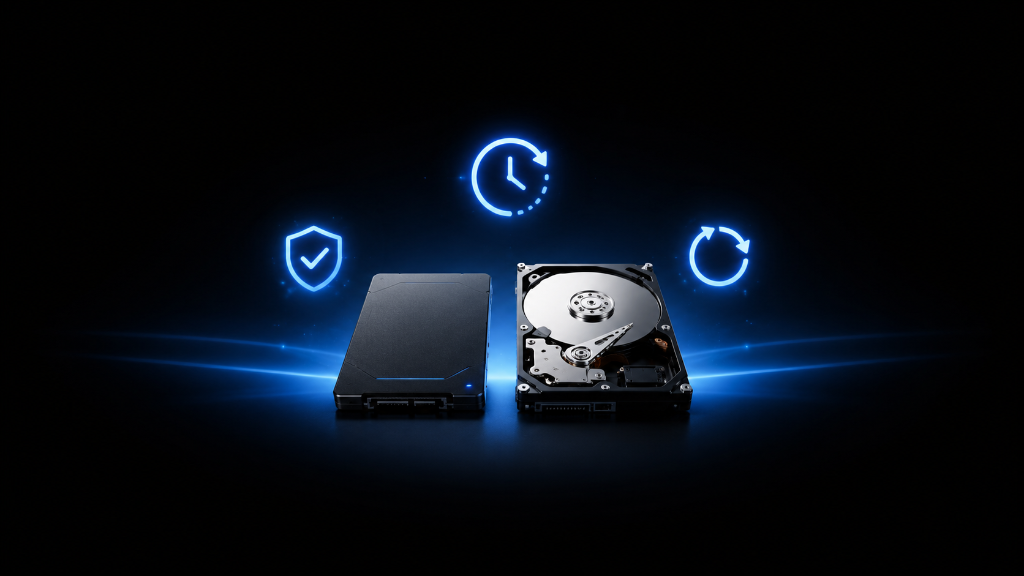
Storage lifespan can sound scary when you are new to gaming setups.
You may hear that SSDs “wear out” after too many writes. You may hear that hard drives fail because they have moving parts. You may see people warn beginners not to trust old drives, cheap drives, or drives that have been used for years.
Then the question becomes simple:
How long do SSDs and HDDs actually last?
The honest answer is that both can last for years, but neither lasts forever.
For most beginners, the goal is not to predict the exact day a drive will fail. The goal is to understand what affects lifespan, choose the right drive for the job, and protect important files before problems happen.
An SSD can be a great choice for fast loading, active games, and a cleaner modern setup. An HDD can still be useful for cheaper bulk storage, backups, screenshots, recordings, and files where speed matters less.
But lifespan depends on how the drive is used, how old it is, how much data moves through it, how much heat it faces, and whether you have a backup plan.
Once you understand that, storage lifespan becomes less mysterious and much easier to plan around.
If you’re still learning how gaming storage works, our Beginner’s Guide to Gaming Storage: SSDs and HDDs explains the fundamentals so you can better understand how different types of storage work before comparing their lifespan.
The “Will This Drive Die Soon?” Worry
A beginner might buy a new SSD and immediately wonder if every download, update, and game install is wearing it out.
Another beginner might have an older hard drive and worry every time it makes a sound, loads slowly, or takes longer to open folders.
Both worries are understandable.
Storage drives hold things that matter. Games can be reinstalled, but save files, screenshots, recordings, personal files, mods, and custom settings can feel much harder to replace.
That is why lifespan matters.
But the mistake is thinking lifespan is only about the number of years.
A drive is not safe just because it is new.
A drive is not automatically useless just because it is old.
A drive is not trustworthy forever just because it worked yesterday.
The better question is:
What job should this drive handle, and how much risk can I accept?
That question helps beginners make better decisions.
Instead of asking, “Will this drive last forever?” you can ask, “Is this drive trustworthy enough for my main games, important files, or backup needs?”
That is a much more useful way to think about lifespan.
Understand How SSDs and HDDs Age
SSDs and HDDs can both last for years, but they age in different ways.
An SSD has no spinning disk inside. This makes it fast, quiet, and strong for everyday gaming use. SSDs are usually great for active games, operating systems, launchers, and files you open often.
The main lifespan concern with SSDs is write wear. Every SSD can only handle a certain amount of data being written over time. For normal beginner gaming use, this is usually not something to panic about. Installing games, updating games, launching games, and storing regular files is normal use.
The bigger concern is using an SSD carelessly without backups, letting it overheat, buying unknown used drives, or trusting one drive with everything important.
HDDs age differently.
A hard drive has moving parts. It uses spinning platters and mechanical parts to read and write data. Because of that, HDDs can be more sensitive to drops, vibration, wear, strange noises, and mechanical failure.
That does not mean HDDs are bad.
HDDs can still be useful for large, cheaper storage. They can hold screenshots, recordings, older games, backups, and files where speed does not matter as much. But they are usually not the best choice for your fastest, most-played games if you have an SSD available.
For beginners, the practical choice is simple.
Use an SSD when speed, daily use, and smoother gaming performance matter most.
Use an HDD when you need affordable extra space for files that do not need fast loading.
Use backups when the files matter.
The most important lesson is that lifespan should guide how much trust you place in the drive.
A newer SSD is usually a stronger choice for your main gaming setup.
An older HDD may still be useful, but it should not be the only place where important files live.
A used drive can be okay for low-risk storage, but it should be tested and backed up before you depend on it.
A drive showing warning signs should be treated carefully. If a drive disconnects randomly, makes strange HDD noises, overheats, slows down suddenly, corrupts files, or fails to appear consistently, protect your important data first.
Do not wait until a drive fully fails before thinking about lifespan.
Storage confidence comes from matching the drive to the job and keeping important files protected.
Which Drive Choice Fits Your Situation?
Choose a new SSD if you want the safest beginner choice for your main games, operating system, launchers, and files you use often. This is usually the best choice when speed and everyday reliability matter.
Choose an HDD if you need cheaper bulk storage for screenshots, recordings, backups, older games, or files where fast loading is not the main priority.
Choose a used drive only for low-risk storage if the price is good, the drive can be tested, and the files are replaceable or already backed up.
Avoid trusting one old drive with everything important. If the drive is older, acting strange, or holding valuable files, create another copy somewhere safe.
Replace or stop depending on a warning-sign drive if it disconnects, makes unusual HDD noises, corrupts files, overheats, or fails to show up consistently.
The right choice depends on the job. Main games need speed and reliability. Extra files need space. Important files need protection.
Plan for Lifespan Before Failure
Thinking about storage lifespan is like thinking about the tires on a car. You do not need to panic every time you drive, but you should know that wear is real, warning signs matter, and replacement becomes smarter before failure becomes dangerous.
Before choosing or trusting a drive, ask what job it will do.
If it will hold your main games and everyday setup, a new SSD is usually the stronger beginner choice.
If it will hold extra files, recordings, screenshots, backups, or older games, an HDD can still make sense.
If it is used, old, or showing warning signs, do not trust it with important files unless those files are backed up somewhere else.
The goal is not to make storage last forever.
The goal is to use each drive wisely while protecting what matters.
SSDs and HDDs can both serve a useful role in a gaming setup. The smart move is matching lifespan risk to the importance of the files.
Use the faster, newer, more reliable drive for the things you depend on most.
Use older or cheaper storage for lower-risk jobs.
Back up anything you cannot easily replace.
That way, storage lifespan becomes part of your setup plan instead of a surprise problem later.
After learning what affects storage lifespan, explore more beginner-friendly PC setup guides in our Setup Zone category page.
Leave a Reply