
SSD shopping can get confusing fast.
At first, you may understand the basic idea: SSDs are faster than hard drives. That part makes sense.
Then you start shopping and see different SSD types.
One drive says SATA SSD.
Another says NVMe SSD.
Another says PCIe Gen 3, Gen 4, or Gen 5.
Then the speed numbers start looking huge. One drive may show hundreds of megabytes per second. Another may show thousands. For a beginner, it is easy to think:
Do I need the fastest SSD for gaming?
The simple answer is this:
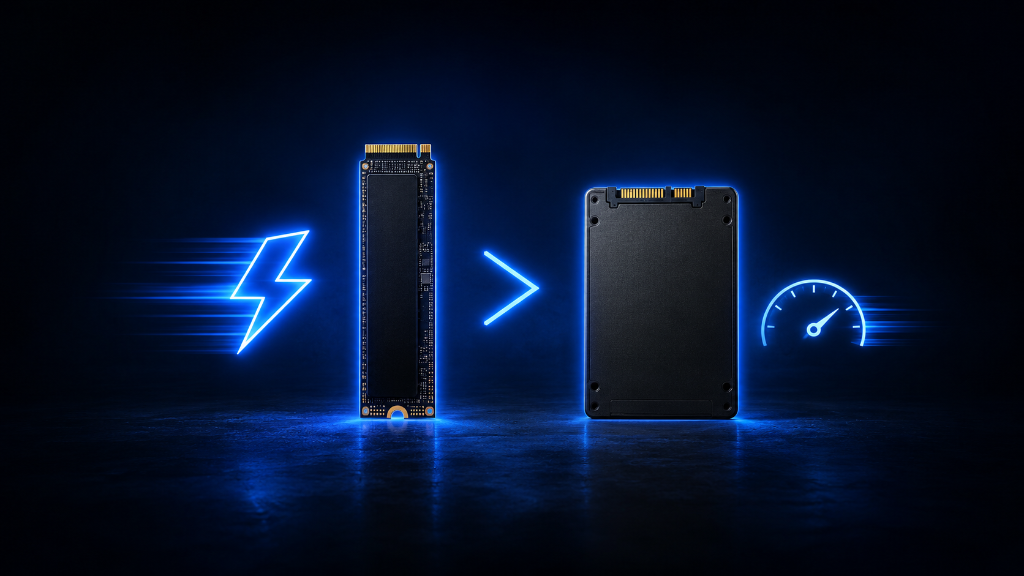
NVMe SSDs are faster than SATA SSDs, but beginners do not always need the fastest NVMe drive to have a good gaming experience.
Storage speed matters most when your system is loading, opening, moving, installing, or accessing files. It can improve load times and responsiveness. But it does not automatically give you higher frame rates like a better graphics card might.
The goal is not to chase the biggest speed number.
The goal is to understand what storage speed actually improves in gaming, then choose the SSD that fits your system and budget.
If you’re still learning how gaming storage works, our Beginner’s Guide to Gaming Storage: SSDs and HDDs explains the fundamentals so you can better understand storage types before comparing SSD speeds.
The Speed Number Trap
Many beginners see SSD speed numbers and assume bigger always means better.
That reaction is understandable. If one SSD says it is much faster than another, it seems like the faster one must be the obvious choice.
But gaming performance is not that simple.
Storage speed affects how quickly data can be read from or written to the drive. This can help games launch faster, loading screens finish sooner, files move quicker, and the system feel more responsive.
But once the game is running, your frame rate usually depends more on the graphics card, processor, RAM, game settings, resolution, and cooling.
This is where beginners can overspend.
They may buy a premium SSD expecting a massive gaming difference, only to find that the game still runs at the same frame rate. The game may load faster, but the actual gameplay may not change much.
That does not mean fast SSDs are bad.
It means speed needs to be matched to the real benefit.
If you are upgrading from an old hard drive to almost any SSD, the difference can feel big.
If you are comparing a decent SATA SSD to a good NVMe SSD, the difference may be smaller in everyday beginner gaming.
What Is a SATA SSD?
A SATA SSD is a solid-state drive that uses the SATA connection.
For beginners, the important thing to know is that SATA SSDs are much faster than old hard drives, but slower than NVMe SSDs.
A SATA SSD can still make a system feel much better if you are coming from an HDD. The computer can boot faster. Apps can open faster. Games can launch faster. Loading screens can become shorter.
SATA SSDs can be a good choice for older PCs, budget builds, secondary game drives, or systems that do not support NVMe storage.
They are also usually simple to understand because many SATA SSDs use the 2.5-inch drive shape. That means they connect with SATA data and power cables inside a desktop PC. Some laptops also support SATA SSDs, depending on the model.
The downside is that SATA has a speed limit. Even if the SSD itself is good, the SATA connection cannot reach the same speeds as NVMe.
Still, for many beginners, a SATA SSD is not “bad storage.”
It is still fast enough to be a major upgrade over an HDD.
What Is an NVMe SSD?
An NVMe SSD is a faster type of SSD that usually connects through an M.2 slot on the motherboard.
For beginners, the practical idea is this:
NVMe SSDs are built for very fast data access.
They can move data much faster than SATA SSDs, especially in larger file transfers and heavy storage tasks. This makes them useful for modern gaming PCs, newer laptops, creative work, fast installs, large file movement, and systems that support high-speed storage features.
NVMe drives also help keep builds cleaner because many of them are small sticks that install directly onto the motherboard. They do not need separate SATA data and power cables like a typical 2.5-inch SATA SSD.
But there is one important warning:
Your system must support NVMe.
Just because an SSD looks good online does not mean it fits your PC, laptop, or console. You need the correct slot, supported size, and compatible storage standard.
An NVMe SSD is usually the better choice for a modern gaming build if your system supports it and the price makes sense.
But beginners should not buy one blindly.
NVMe vs SATA SSD: What Changes in Gaming?
The biggest gaming difference between NVMe and SATA SSDs usually shows up around loading and file access.
An NVMe SSD may help games load faster than a SATA SSD, especially in newer systems and games that take advantage of faster storage. It can also help with installing large games, moving large files, copying data, and handling big updates.
A SATA SSD can still load games much faster than an HDD.
This means the biggest jump is often from HDD to SSD, not always from SATA SSD to NVMe SSD.
For example, if your system is running games from an old hard drive, moving to either SATA SSD or NVMe SSD can feel like a strong improvement.
But if you already have a SATA SSD, switching to NVMe may not feel like a night-and-day difference in every game. Some games may load a little faster. Some tasks may feel smoother. But your frame rate may stay mostly the same.
This is why speed matters, but context matters more.
NVMe is faster.
SATA SSD is still good.
The right choice depends on your system, budget, and expectations.
What Storage Speed Does Not Fix
Storage speed does not solve every gaming problem.
If your game has low FPS, an SSD upgrade may not be the main answer. Low FPS usually points more toward the graphics card, CPU, RAM, game settings, resolution, or cooling.
If your online game lags, storage speed is probably not the main problem. That may be related to internet connection, server issues, Wi-Fi stability, or network settings.
If your PC crashes, storage might be involved, but the cause could also be drivers, power, overheating, memory instability, or other system problems.
If your system runs out of space, speed is not the same as capacity. A very fast small SSD can still become frustrating if it fills up quickly.
This is where beginners need clarity.
NVMe speed is useful, but it is not magic.
It improves storage-related tasks. It does not replace every other part of the gaming setup.
When NVMe Is Worth It
NVMe is worth considering when your system supports it, the price is reasonable, and you want a strong modern storage choice.
It is especially useful if you are building a new gaming PC, upgrading a modern laptop, or using a console that requires specific high-speed storage expansion.
NVMe also makes sense if you install large games often, move big files, use mods, record gameplay, edit videos, or want a cleaner internal setup without extra cables.
For many modern gaming builds, a 1TB or 2TB NVMe SSD is a strong choice. It gives speed, comfort, and room for multiple games.
NVMe is also a good long-term pick because modern systems are increasingly built around faster storage.
But beginners should still avoid overspending on the most extreme model just because the number is higher. A practical NVMe SSD is usually enough for a beginner gaming setup.
You do not always need the fastest drive in the store.
You need a fast enough drive that fits your system and budget.
When SATA SSD Is Good Enough
A SATA SSD can still be a good choice when your system is older, your budget is tighter, or you need secondary storage for games.
If your PC does not support NVMe, a SATA SSD can still be a strong upgrade from an HDD. It can make the system feel faster, reduce loading times, and improve everyday responsiveness.
A SATA SSD can also work well as a second game drive. For example, you might use an NVMe SSD as your main drive and a SATA SSD for extra games.
SATA SSDs can also be useful if they are cheaper and you care more about capacity than maximum speed.
The key is expectation.
A SATA SSD is not as fast as NVMe.
But it can still provide a good gaming experience, especially compared with an HDD.
For beginners, “good enough” is not a failure. It is smart when it matches the setup.
Check Compatibility Before Choosing
Before choosing NVMe or SATA, check what your system supports.
For a desktop PC, look at the motherboard specs. Check whether it has an M.2 slot, which PCIe generation it supports, and whether it supports NVMe drives. Also check if SATA ports are available if you plan to use a 2.5-inch SATA SSD.
For a laptop, check the exact model. Some laptops support NVMe. Some support SATA M.2 drives. Some support both. Some are harder to upgrade than others.
For a console, follow the console’s storage rules carefully. Some modern games may require internal high-speed storage or specific expansion formats. External drives may work for storage or older games, but not always for playing newer games directly.
Do not buy based only on the SSD name.
A fast drive only helps if your system can use it.
Choose Real Benefit Over Bigger Speed Numbers
Choosing between SATA and NVMe is like choosing between two highways with different speed limits. Both can get you to the same destination, but the faster road only saves time if your trip can actually take advantage of it.
Before buying an SSD, do not ask only, “Which one is fastest?”
Ask, “Will this speed improve my real gaming experience?”
If you are upgrading from an old hard drive, almost any good SSD can feel like a major improvement.
If your system supports NVMe and the price is reasonable, NVMe is usually the better modern choice.
If your system is older, your budget is tight, or you need extra game storage, a SATA SSD can still be a smart option.
If you already have a SATA SSD, upgrading to NVMe may help with loading and file tasks, but it may not transform every game.
For most beginners, the best choice is a practical SSD with enough capacity, good compatibility, and speed that matches the system.
NVMe is faster.
SATA SSD is still useful.
The smart move is choosing storage speed based on real gaming benefits, not just the biggest number on the box.
After learning how SSD speed affects gaming, explore more beginner-friendly PC setup guides in our Setup Zone category page.
Leave a Reply