
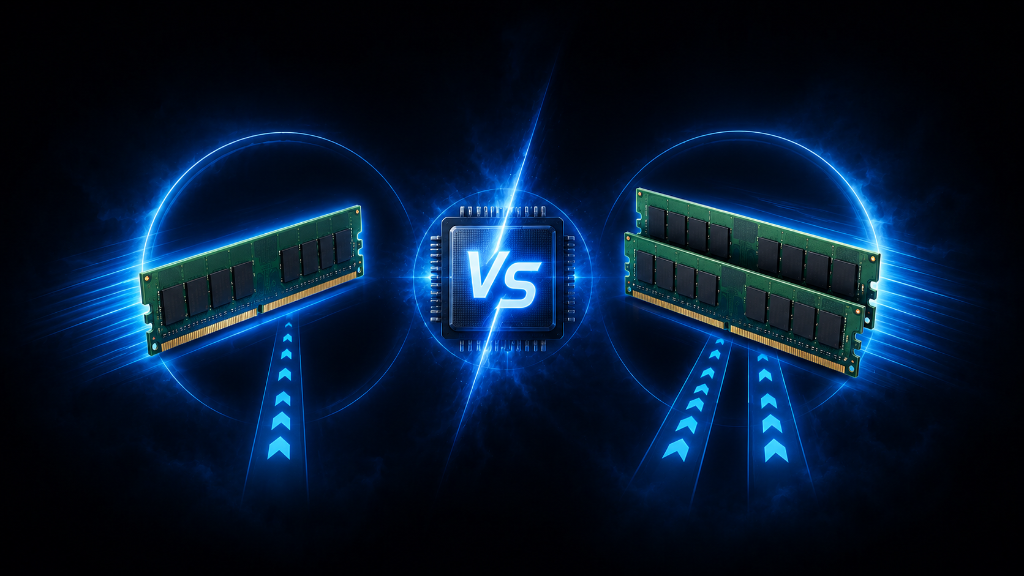
RAM capacity is usually the first thing beginners notice.
You may see 8GB, 16GB, or 32GB and think that is the whole story. But RAM performance is not only about how much memory you have. It can also depend on how that memory is installed.
That is where single channel and dual channel RAM come in.
A gaming PC with one 16GB stick of RAM and a gaming PC with two 8GB sticks both have 16GB total. But they may not behave the same way.
The two-stick setup can often run in dual channel mode, which gives the system a better path to use memory. The one-stick setup usually runs in single channel mode, which can limit memory bandwidth.
For beginners, the question is simple:
Does dual channel RAM actually matter for gaming?
Yes, it can. It does not magically fix every performance problem, but it can help your system use RAM more efficiently. In some games and setups, especially CPU-heavy games or systems with integrated graphics, dual channel can make a noticeable difference.
The goal is not to memorize every memory term.
The goal is to understand why RAM configuration matters and how to check whether your setup is giving you the performance it should.
If you are still learning the fundamentals of gaming memory, our RAM for Gaming: A Beginner’s Guide walks you through the basics.
The One-Stick vs Two-Stick Problem
A common beginner mistake is only looking at total RAM capacity.
For example, a beginner might see a prebuilt gaming PC with 16GB of RAM and assume everything is fine. But if that 16GB comes from one stick, the system may be running in single channel mode.
Another system might also have 16GB of RAM, but as a 2x8GB kit. That means two 8GB sticks working together. If installed correctly, this can allow dual channel mode.
Both systems have the same amount of RAM.
But one may have a wider memory path.
Think of it like a road. Single channel is like one lane. Dual channel is like two lanes. The destination is the same, but the two-lane road can move more traffic at once.
That does not mean dual channel doubles your gaming performance. It means the system can move memory data more efficiently, which can help in the right situations.
This is why beginners should look beyond the total number.
16GB is important, but how that 16GB is arranged also matters.
What Single Channel RAM Means
Single channel RAM usually means the system is using one memory channel.
For beginners, the easiest example is one stick of RAM installed by itself. A system with 1x16GB has 16GB total, but it may run in single channel mode.
Single channel is not broken. The system can still work, games can still run, and many beginners may not notice a problem in lighter games.
But single channel can limit memory bandwidth. That means the CPU may have a narrower path to access memory.
In some games, that limit may not matter much. If the game is mostly limited by the graphics card, storage, or another component, single channel may not be the main issue.
In other situations, single channel can hold the system back. You may notice lower frame rates, weaker minimum frame rates, more stutter, or less consistent performance compared with a similar dual channel setup.
Single channel is especially worth paying attention to in budget prebuilts, older systems, and laptops where the RAM configuration may not be obvious.
The important point is this: single channel can work, but it may leave performance unused.
What Dual Channel RAM Means
Dual channel RAM means the system can use two memory channels at the same time.
For many beginner gaming desktops, this usually happens when you install a matching pair of RAM sticks in the correct motherboard slots.
A common example is 2x8GB for 16GB total or 2x16GB for 32GB total.
Dual channel gives the system more memory bandwidth. In simple terms, the CPU has a wider path to move data between itself and RAM.
This can help games and applications that depend more on memory performance. It can also make the system feel more balanced because the RAM configuration is not creating an unnecessary bottleneck.
Dual channel can be especially helpful for systems using integrated graphics. Integrated graphics often use system RAM instead of dedicated video memory. Because of that, memory bandwidth can matter more.
For beginners, the lesson is practical:
If you are buying RAM for a gaming desktop, a matching two-stick kit is usually a safer and stronger choice than one single stick, assuming your motherboard supports it.
Why Dual Channel Can Affect Gaming
Gaming performance depends on many parts working together.
Your CPU handles game logic, physics, background tasks, and communication with other parts. Your GPU handles the graphics work. RAM helps the system actively hold data while the game is running.
If the CPU needs data from RAM and the memory path is limited, performance can suffer in some situations.
This is where dual channel can help.
It can improve memory bandwidth, which may help the CPU get data more efficiently. That can improve frame rates in certain games, but it may be more noticeable in minimum frame rates and overall smoothness than in average frame rate alone.
For example, a game might show similar average performance in some areas, but the dual channel setup may feel steadier because performance dips are less severe.
That matters for beginners because smoothness is not only about the highest number. It is also about consistency.
Dual channel does not replace a stronger GPU. It does not fix low RAM capacity. It does not turn an old PC into a high-end gaming machine.
But if your system already has enough RAM and the sticks are installed correctly, dual channel can help the setup perform closer to how it should.
How to Know If You Are in Single Channel or Dual Channel
Beginners can check RAM configuration in a few ways.
The first clue is the number of sticks.
If your system has one RAM stick, it is usually running in single channel mode.
If your system has two matching sticks, it may be running in dual channel mode, but only if the sticks are installed in the correct slots and the motherboard supports it.
Many desktop motherboards have specific slot placement for two sticks. Often, the correct layout is not simply “any two slots.” The motherboard manual usually shows which slots to use first, commonly labeled something like A2 and B2.
This is important because installing two sticks in the wrong slots may prevent dual channel from working properly.
You can also check BIOS/UEFI or system information tools to see whether memory is running in single channel or dual channel mode. The exact place to check depends on the system.
For beginners, the safest step is to look up the motherboard manual and confirm the recommended RAM slot layout.
Do not guess if the manual gives a clear answer.
Matching RAM Kits Make This Easier
Dual channel works best when the RAM sticks are compatible with each other.
This is why beginners should usually buy a matching kit instead of mixing random sticks.
A 2x8GB kit gives you 16GB total.
A 2x16GB kit gives you 32GB total.
The sticks in a kit are sold together and designed to work together. This reduces guesswork around speed, timings, voltage, and stability.
Mixing different RAM sticks can sometimes work, but it can also create problems. The system may run at the slower stick’s settings, fail to boot, or become unstable.
For beginners, a matching two-stick kit is usually the cleanest path.
It gives you the capacity you need and makes dual channel easier to set up correctly.
Single Channel vs Dual Channel: What Should Beginners Choose?
For most beginner gaming desktops, dual channel is the better goal.
If you are buying new RAM, choose a compatible two-stick kit when possible. For example, choose 2x8GB instead of 1x16GB if your goal is 16GB. Choose 2x16GB instead of 1x32GB if your goal is 32GB.
That does not mean one stick is always a bad choice.
A single stick may make sense if your budget is extremely tight and you plan to add a matching second stick soon. It may also happen in some prebuilts or laptops where upgrade options are limited.
But if you have the choice, dual channel is usually better for gaming because it avoids leaving easy performance on the table.
For laptops, the answer depends on the model. Some laptops use soldered RAM. Some have one open slot. Some support dual channel only with certain configurations. Before upgrading laptop RAM, check the exact model and supported memory layout.
The beginner rule is simple:
Enough RAM matters first.
Correct RAM configuration matters next.
Check the Setup, Not Just the Capacity
Dual channel RAM is like opening a second lane on a busy road. The destination stays the same, but data can move more efficiently along the way.
Before judging your RAM, do not only ask, “How many gigabytes do I have?”
Ask, “How is my RAM installed?”
If you have one stick, your system may be running in single channel mode.
If you have two matching sticks in the correct slots, your system may be running in dual channel mode.
If you are building or upgrading a gaming desktop, a matching two-stick kit is usually the better beginner choice. It helps your system use memory more efficiently and can improve gaming smoothness in the right situations.
If you already have two sticks, check your motherboard manual to make sure they are installed in the recommended slots.
Dual channel RAM is not magic, but it is one of those setup details that can help your system perform the way it was meant to perform.
After understanding RAM configuration basics, explore more PC building and optimization strategies in our Setup Zone category page.
Leave a Reply