
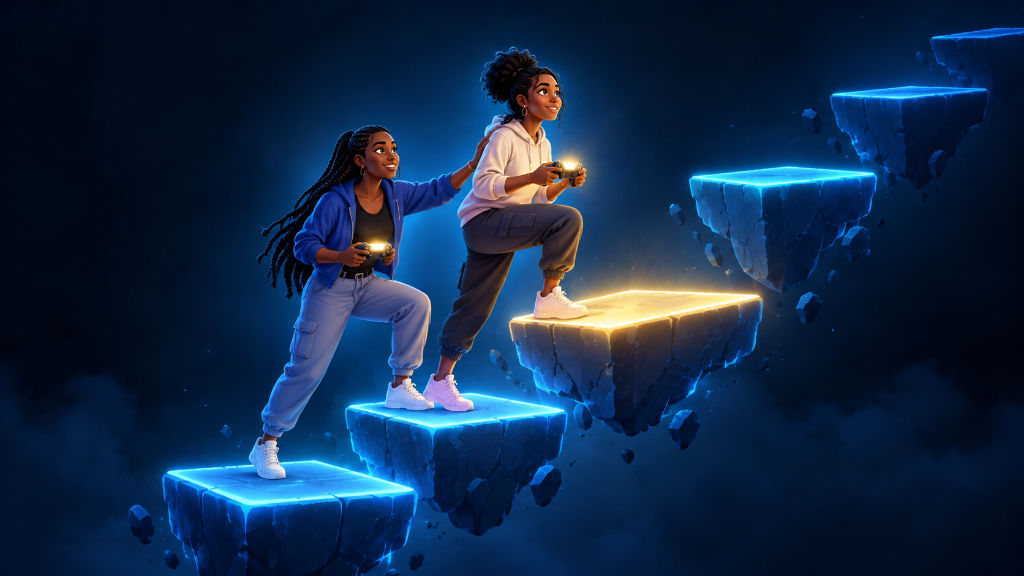
When a game suddenly feels too hard, do not assume you are bad at it or that you have to quit. Slow the moment down. Get safe, figure out what is stopping you, change one thing, and try again.
Hard parts usually become easier when you stop trying to solve everything at once. You may need to learn one enemy move, use a healing item sooner, lower a setting, or take a short break before your next attempt.
If your first game session feels more difficult than you expected, Beginner’s Guide to Your First Gaming Session (Start, Observe, and Adjust) can help you build a simple habit: start small, notice what happens, and make one useful change at a time.
The Boss Fight That Felt Impossible
Maya reached a boss fight near the start of a new game. The boss moved fast, hit hard, and defeated Maya three times in a row.
On the fourth try, Maya rushed in again. She pressed attack as quickly as possible, forgot to heal, and got defeated even faster.
Instead of starting a fifth attempt right away, Maya paused. She noticed that the boss raised its weapon before every big attack. Maya also noticed a few boxes around the edge of the room that gave her space to move away.
On the next attempt, Maya stopped attacking nonstop. She watched for the raised weapon, moved away, waited for the attack to miss, then attacked once or twice. She healed before her health was almost empty.
The boss was still difficult, but Maya understood the fight now. A hard game became manageable when she changed one part of her approach.
Make the Hard Part Smaller
When a game feels harder than expected, use this order: get safe, name the problem, choose one change, test it, and adjust.
Get Safe First
If you are in the middle of a fight, do not open menus while enemies are attacking. Move behind cover, create distance, pause the game, or wait until you reach a safer area.
A calm moment gives you time to think. It also keeps you from making rushed choices, such as wasting all your items or quitting before you understand the problem.
Name the Real Problem
“Everything is too hard” is a big feeling, but it is not yet a useful problem to solve.
Ask what is actually happening:
- Are enemies defeating you too quickly?
- Are you unsure where to go?
- Is the camera making it hard to see?
- Do you not understand an enemy attack?
- Are you running out of health, ammo, time, or other resources?
- Is one control still uncomfortable?
- Is the difficulty setting no longer fun?
Choose the one problem that is stopping you most. You do not need to fix every part of the game right now.
Choose One Helpful Change
After you name the problem, make one change that matches it.
If enemies hit you too often, focus on dodging, blocking, moving, or using cover.
If you do not know where to go, open the map, reread the current goal, or look for a path marker.
If you keep losing health, heal earlier or look for supplies before starting the next fight.
If the controls feel confusing, check the controls menu and practice one action in a safe area.
If the game is no longer enjoyable at its current difficulty, look in the settings menu for an easier option. Choosing a lower difficulty is not failing. It is choosing the setting that lets you learn and keep playing.
Test the Change Once
Try the hard part again with your one change in mind.
Do not try to dodge better, aim better, explore better, use every item, and learn every button during the same attempt. Pick one goal.
For example:
“I will watch for the boss’s big attack before I strike.”
“I will stay behind cover instead of standing in the open.”
“I will follow the quest marker before exploring.”
“I will heal when my health gets low, not when it is almost gone.”
One clear goal makes it easier to see whether your new approach helped.
Watch the Result and Adjust
After the attempt, ask a simple question: “Did that change help?”
If it helped, keep using it.
If it did not help, do not call the whole attempt a failure. Choose a different single change. Maybe you dodged at the right time but were too close. Maybe you found the correct path but needed a different button to climb. Maybe you lowered the difficulty but still need to check the tutorial.
Each attempt gives you information. Use that information to make the next attempt better.
Your Hard-Game Decision List
- If you are frustrated and rushing: Pause or step away for a few minutes before trying again.
- If you are in danger: Move to safety before checking menus, maps, or controls.
- If you keep losing in the same place: Watch what happens just before you lose. Look for an attack pattern, timer, trap, or missing prompt.
- If enemies feel too strong: Use space, cover, healing, blocking, dodging, or a safer route before attacking more.
- If you are lost: Check the current objective, map marker, nearby signs, or highlighted path.
- If you do not understand a mechanic: Read the tutorial again or practice the action somewhere safe.
- If a setting is making play harder: Adjust difficulty, subtitles, camera sensitivity, aim help, brightness, or control options.
- If one change helps a little: Keep it, then improve one other part on your next attempt.
- If nothing is fun anymore: Take a break. Coming back with a clear head is often the best next move.
Keep the Challenge, Lose the Chaos
A hard game is like learning to ride a bike up a hill. You do not solve the hill by pedaling wildly. You slow down, find your balance, and keep moving one push at a time.
The next time a game feels harder than expected, do not try to become perfect in one attempt. Get safe, identify the biggest problem, choose one change, and see what it teaches you. That is how difficult moments turn into real progress.
When you want more simple ways to build confidence while you play, explore the Start Playing category page.
Leave a Reply