
One of the most intimidating parts of upgrading a gaming PC is the power supply.
Beginners often hear warnings like:
“Your PSU might not handle that GPU.”
“You could damage your system.”
“That graphics card needs more power.”
Suddenly, a simple GPU upgrade starts feeling risky.
For many beginners exploring video games as a hobby, the power supply becomes the part of the PC they understand the least—but worry about the most.
The good news is that most beginner power supply checks are much simpler than they sound.
You do not need advanced electrical knowledge to upgrade safely.
You only need to understand a few practical checks before buying new hardware.
The goal is not to become a computer engineer.
The goal is to make sure your gaming setup stays stable, reliable, and safe during everyday gaming.
If you’re still learning how gaming graphics cards affect your system, our Beginner’s Guide to Gaming GPUs can help you understand the basics before planning upgrades.
The Beginner Afraid of “Breaking the PC”
Imagine a beginner upgrading their graphics card for the first time.
They already picked a GPU that fits their gaming goals and budget.
But then they start reading comments online about power requirements.
Some people say the power supply is “too weak.”
Others talk about cables, wattage spikes, overheating, and system instability.
The beginner starts imagining worst-case scenarios:
“What if my PC crashes?”
“What if the GPU does not get enough power?”
“What if I damage something?”
Now imagine a more methodical beginner.
Instead of diving into complicated technical discussions, they focus on a simple safety checklist.
They check:
- The recommended GPU wattage
- Their power supply wattage
- Whether the PSU has the correct connectors
- Whether the power supply is from a reliable brand
That changes the entire experience.
The upgrade stops feeling dangerous and starts feeling manageable.
The beginner realizes most GPU upgrades are not about perfection.
They are about basic stability and safe power support.
Most Beginners Only Need Basic Power Checks
For beginners, power supply compatibility is mostly about avoiding obvious problems before they happen.
1. Check PSU Wattage
Most GPU manufacturers already list a recommended power supply size directly on the product page.
That recommendation usually accounts for the full gaming PC—not just the graphics card itself.
This means beginners usually do not need to calculate exact power usage manually.
The goal is simple:
Make sure the PSU can comfortably support the GPU under gaming load.
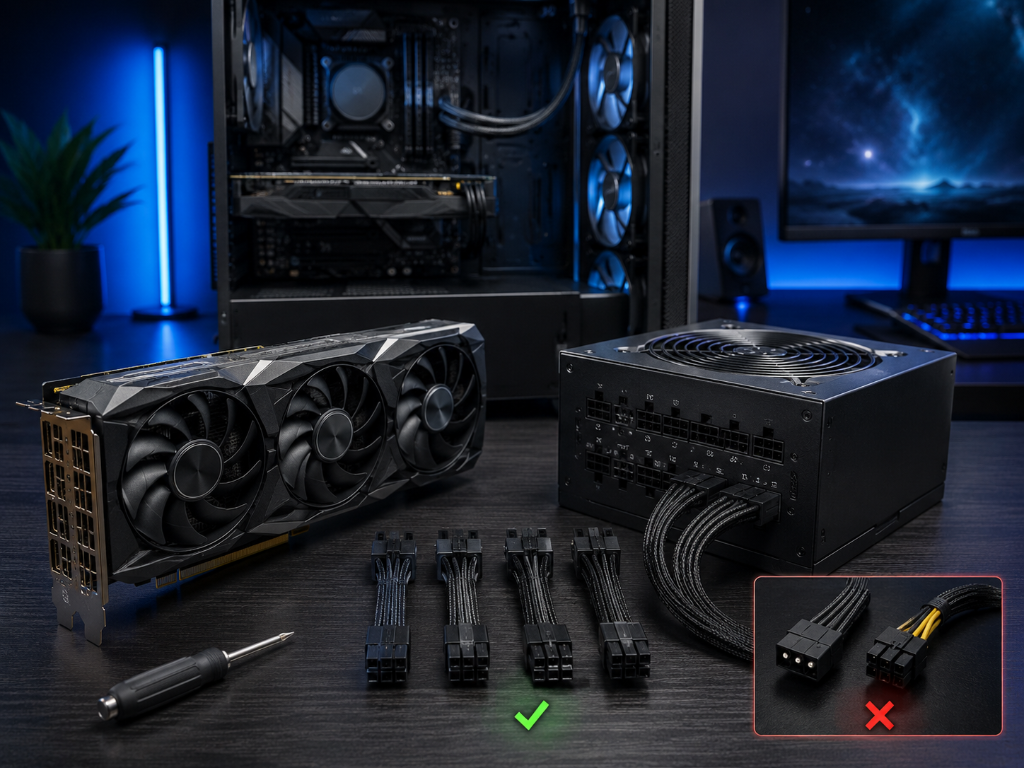
2. Check Power Connectors
Some GPUs require additional PCIe power cables from the power supply.
If the PSU does not have the required connectors, the GPU cannot run correctly.
This is one of the easiest beginner checks to overlook.
Always compare:
- The GPU connector requirements
- The connectors available on your PSU
before buying.
3. Check PSU Quality
A reliable power supply matters because unstable power can create:
- Random crashes
- Shutdowns
- System instability
- Upgrade limitations later
- Poor long-term reliability
This creates an important beginner decision rule:
A reliable mid-range power supply is usually more valuable than chasing the cheapest possible option.
For most hobby gamers, the goal is not extreme overclocking or maximum performance tuning.
The goal is stable, comfortable gaming without constant hardware problems.
4. Leave Some Room for Future Upgrades
Beginners do not need massive “future-proof” power supplies immediately.
But having some extra wattage headroom can help later if you upgrade:
- The GPU
- Cooling
- Storage
- Other accessories
The key is balance—not excess.
That means beginners should prioritize:
- Enough wattage
- Correct connectors
- Reliable PSU quality
- Stable airflow
- Room for basic future upgrades
You do not need to obsess over advanced electrical details to start upgrading correctly.
Check Your PSU Before Buying the GPU
Power supply and GPU requirements are like preparing a vehicle before a long trip: the system needs enough stable power, the correct connections, and a reliable foundation before the journey stays smooth and dependable.
Before purchasing a graphics card, write down:
- Your current PSU wattage
- Your PSU brand and model
- The GPU’s recommended wattage
- The required PCIe power connectors
- Whether your case airflow is adequate
Then compare those details before spending money.
That one checklist can prevent most beginner upgrade problems immediately.
Start with safe and stable power first.
Performance upgrades become much easier when the foundation of the setup already works correctly.
After building a stable GPU and power setup, explore more practical upgrade and optimization strategies in our Setup Zone category page.
Leave a Reply