
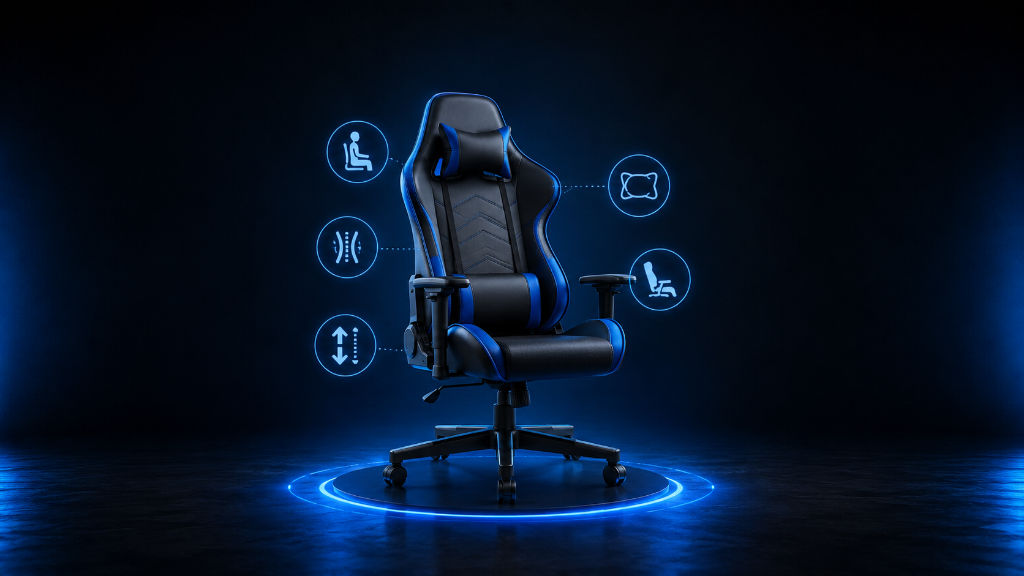
Picking a gaming chair can feel simple at first.
You see a chair that looks cool, has bold colors, includes pillows, reclines far back, and says it was made for gamers. It feels like the right choice because it looks like gaming equipment.
But choosing a gaming chair only by looks can lead to problems.
The chair may be too narrow. The seat may feel too firm. The armrests may not line up with your desk. The back support may not fit your body. The chair may look amazing in your setup but feel uncomfortable after a long session.
For beginners, the real question is not:
Which gaming chair looks the best?
The better question is:
Which chair fits my body, my setup, my budget, and the way I actually play?
A good gaming chair should help you sit comfortably, reach your controls easily, and stay focused without constantly adjusting your body. It does not need to be expensive. It does not need to have every feature. It needs to solve the right problems.
The goal is to choose with confidence instead of guessing.
You do that by checking the most important parts in the right order: fit, support, adjustability, material, setup alignment, and price.
Once you know what to look for, choosing a gaming chair becomes much easier.
If you’re still learning what makes gaming chairs comfortable, supportive, and useful for gaming, our Beginner’s Guide to Gaming Chairs: Comfort, Ergonomics & What Actually Matters walks you through the basics before you choose a chair based on looks, features, or price.
The Chair That Checked the Wrong Boxes
A beginner starts shopping for a gaming chair and sees dozens of options.
One chair has bright colors. Another has a footrest. Another reclines almost flat. Another says it has premium cushions. Another looks like something a streamer would use.
The beginner starts comparing features but does not know which ones matter.
So they pick the chair that looks the most exciting.
When it arrives, the setup feels upgraded. The chair looks great next to the desk. It makes the room feel more like a gaming space.
But after using it for a while, the problems become clear.
The seat is not wide enough. The armrests are too low. The back pillow feels awkward. The chair does not slide smoothly under the desk. During longer sessions, the beginner keeps shifting around because the chair does not feel natural.
The chair had features.
But it did not fit the person.
That is the mistake many beginners make.
They choose the chair with the most visible features instead of the chair that solves their actual comfort needs.
A better approach is to treat chair buying like setup building.
You are not just buying an object.
You are choosing a support tool for your body, your desk, your screen, and your gaming habits.
Pick the Chair by Fit, Support, and Setup
The first thing to check is body fit.
A gaming chair should match your height, weight, and sitting style. If the chair is too small, the seat may press against your legs or hips. If the chair is too large, your back may not reach the support properly, or your feet may not rest comfortably on the floor.
Look at the chair’s size guide if one is available. Check the seat width, seat depth, backrest height, and weight capacity. These details matter more than color, design, or branding.
Next, check back support.
A good chair should support your lower back without forcing you into an uncomfortable position. Some gaming chairs use removable lumbar pillows. Others use built-in lumbar support. Neither is automatically better. What matters is whether the support fits your body and helps you sit naturally.
If the lumbar pillow feels too thick, too low, or too high, it may become annoying instead of helpful.
Then check the armrests.
Armrests are easy to ignore, but they affect comfort more than beginners realize. If your arms hang too low or lift too high, your shoulders may feel tense. Adjustable armrests are helpful because they let you match the chair to your desk, keyboard, mouse, or controller position.
At minimum, look for armrests that support your arms without forcing your shoulders upward.
After that, check seat comfort.
Some gaming chairs have firm seats. Firm does not always mean bad. A firmer seat can feel supportive, but if it is too hard, too narrow, or shaped poorly for your body, it may become uncomfortable during longer sessions.
Pay attention to the seat shape. Racing-style chairs sometimes have raised side edges. Some people like that enclosed feeling. Others may feel restricted. If you sit with your legs wider, shift around often, or want more freedom, a flatter seat may feel better.
Now check the material.
Leather-style material can look clean and be easier to wipe down, but it may feel warmer during long sessions. Fabric can feel softer and more breathable, but it may be harder to clean. Mesh can improve airflow, but not every mesh chair feels cushioned.
The best material depends on your room temperature, cleaning habits, and comfort preference.
Next, check adjustability.
A beginner-friendly gaming chair does not need every advanced feature, but it should give you enough control to make the chair fit your setup. Helpful adjustments include seat height, recline, tilt, armrest height, and lumbar placement.
Adjustability matters because your chair does not work alone. It has to connect with your desk height, monitor height, controller position, keyboard, mouse, and floor.
If the chair cannot adjust enough, you may be forced into an awkward position.
Finally, check the budget.
Do not assume the most expensive chair is the best beginner choice. Also, do not choose the cheapest chair only because it saves money.
A good budget choice should still cover the basics: proper size, stable build, decent support, useful adjustments, and materials that match your needs.
Spend for comfort and fit first.
Style comes after.
Choose the Chair That Solves Your Real Problem
Use this checklist before buying a gaming chair.
1. Check your body fit first
Ask:
Does the chair match my height?
Does the seat width give me enough room?
Is the seat depth comfortable for my legs?
Does the backrest support my back properly?
Is the weight capacity safely above what I need?
If the chair does not fit your body, the rest of the features matter less.
2. Check your gaming setup
Ask:
Will the chair height work with my desk?
Can my feet rest flat or comfortably supported?
Will my arms line up with my keyboard, mouse, or controller?
Will the chair fit under or near my desk?
Will the backrest work with my screen position?
A chair can be comfortable by itself but still feel wrong inside your full setup.
3. Check the support features
Ask:
Does it support my lower back?
Does it include lumbar support or allow lumbar adjustment?
Does the head or neck support fit naturally?
Are the cushions helpful or just extra decoration?
Can I sit upright without feeling forced?
Support should reduce strain, not create new discomfort.
4. Check the adjustability
Ask:
Can I adjust the height?
Can I recline safely?
Can I adjust the armrests?
Can I control tilt or rocking?
Can I fine-tune the chair for different session lengths?
More features are not always better, but useful adjustments help the chair adapt to you.
5. Check the material
Ask:
Will this material feel too warm?
Is it easy to clean?
Does it seem durable?
Will it feel comfortable during long sessions?
Does it match how often I use the chair?
Material affects comfort, cleaning, and long-term use.
6. Check the price
Ask:
Am I paying for comfort or just style?
Does the chair solve my main problem?
Is this chair better than a regular office chair at the same price?
Can I afford it without stretching my budget?
Are there features I will actually use?
A good gaming chair should earn its price by helping you sit better.
7. Check beginner-friendly warning signs
Be careful if:
The chair looks good but gives little size information.
The reviews mention weak parts, wobbling, or poor comfort.
The seat shape looks too narrow for you.
The chair has many flashy features but little real support.
The price is high mostly because of branding.
The chair does not explain its adjustability clearly.
The safest beginner choice is usually the chair that fits well, supports your back, adjusts to your setup, and stays within your budget.
That is the right chair for your situation.
Choose the Chair Like You’re Building a Setup
Picking a gaming chair is like choosing the right piece for a setup puzzle.
The chair has to connect with your body, your desk, your screen, your controls, and your gaming habits. If one part does not fit, the whole setup can feel uncomfortable.
So do not start with color.
Do not start with hype.
Do not start with the biggest feature list.
Start with fit.
Then check support.
Then check adjustability.
Then check the material.
Then check the budget.
A gaming chair should help you play comfortably, not make your setup harder to use.
The best beginner chair is not always the most expensive chair or the most stylish chair. It is the chair that solves your real comfort problem and works with your space.
Once you use the checklist, the decision becomes clearer.
You are no longer guessing.
You are choosing based on what your body and setup actually need.
After understanding how to pick a gaming chair that fits your body, setup, and budget, try more setup strategies in our Setup Zone category page.
Leave a Reply