
When beginners start comparing gaming monitors, they quickly run into another specification that seems important:
Response time.
1ms.
2ms.
5ms.
Manufacturers often advertise these numbers as if they can completely transform your gaming experience.
That naturally creates questions:
“Do I need the lowest response time possible?”
“Will I actually notice the difference?”
“Am I buying the wrong monitor if the number is higher?”
For video games as a hobby, response time matters—but usually not in the way beginners expect.
Many first-time buyers spend too much energy comparing tiny response time differences while overlooking features that have a much larger impact on everyday gaming.
The goal is not to find the lowest number on a specification sheet.
The goal is to choose a monitor that delivers a smooth, comfortable, and enjoyable gaming experience.
If you’re still learning how gaming monitors fit into a complete setup, our Beginner’s Guide to Gaming Monitors can help you understand the fundamentals before comparing monitor specifications.
The Beginner Who Chased the Smallest Number
Imagine a beginner shopping for their first gaming monitor.
They find two monitors that fit their budget.
The screen size is similar.
The resolution is similar.
The refresh rate is similar.
Then they notice one difference.
One monitor advertises a 1ms response time.
The other advertises a 5ms response time.
Immediately, the beginner assumes the 1ms monitor must be dramatically better.
After all, lower numbers sound faster.
Now imagine a more methodical beginner.
Instead of focusing on one specification, they ask:
“Will this difference noticeably change my gaming experience?”
They begin looking at the entire monitor instead of a single number.
The decision becomes much simpler.
Instead of chasing specifications, they focus on how the monitor will actually feel during everyday gaming.
What Response Time Actually Affects
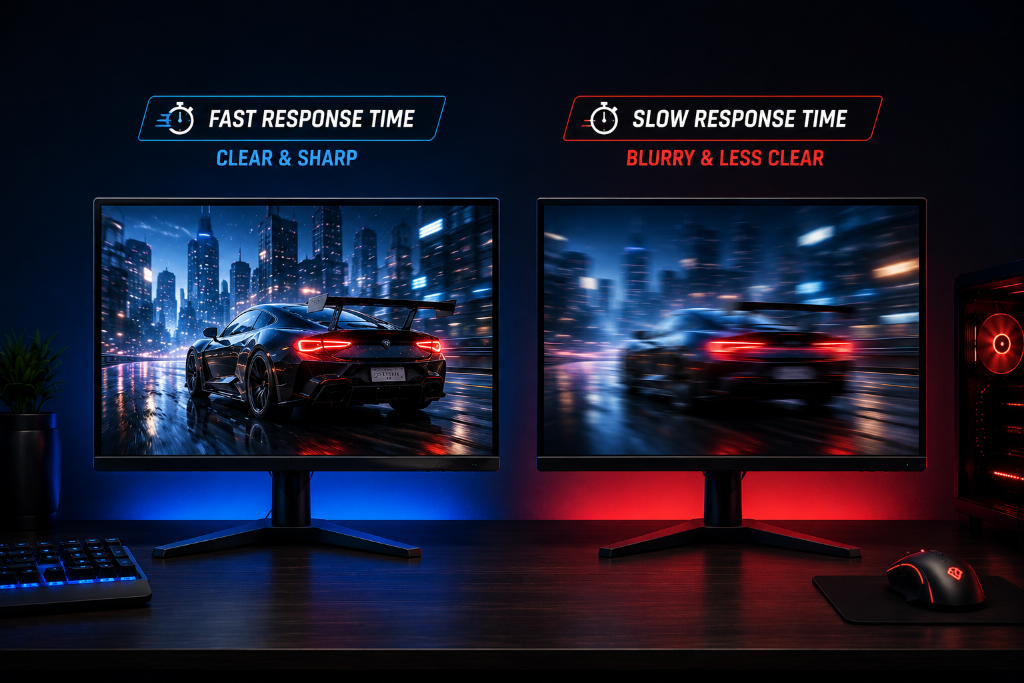
Response time measures how quickly pixels on a monitor can change from one color to another.
In practical terms, response time can affect how clear moving objects appear during gameplay.
When response times are too slow, you may notice:
- Slight motion blur
- Smearing behind moving objects
- Less clarity during fast movement
The outcome is simple:
Lower response times can help motion appear cleaner.
However, this is where beginners often get misled.
For most modern gaming monitors, response times are already good enough for everyday gaming.
That means the difference between two reasonable response times is often much less noticeable than beginners expect.
For example, many players will notice a refresh rate upgrade much more easily than a small response time improvement.
This creates an important beginner decision rule:
Treat response time as a supporting feature, not the main reason to buy a monitor.
For most hobby gamers, these factors usually matter more:
- Resolution
- Refresh rate
- Screen size
- Overall image quality
- Budget fit
Response time still matters, especially in fast-paced games, but it should be evaluated alongside the rest of the monitor.
Another important expectation:
A monitor with a slightly higher response time is not automatically a bad gaming monitor.
Many excellent gaming monitors prioritize a balanced experience rather than chasing the absolute lowest response time number.
The goal is comfortable gameplay, not winning a specification comparison.
Focus on the Experience, Not the Smallest Number
Response time is like the reaction speed of a camera shutter: faster reactions can help capture motion more clearly, but other factors often have a bigger impact on the overall picture.
Before comparing response time numbers, write down:
- The games you play most often
- Whether you play casually or competitively
- Your preferred monitor size
- Your target refresh rate
- Your budget
Then ask yourself:
“Will this response time difference meaningfully improve the way I play?”
For most beginners, the answer is often less important than choosing the right resolution, refresh rate, and overall monitor quality.
You do not need the lowest response time available to start gaming correctly.
You simply need a monitor that delivers a smooth, enjoyable experience for the games you actually play.
After choosing the right monitor for your setup, explore more practical display and gaming strategies in our Setup Zone category page.
Leave a Reply