
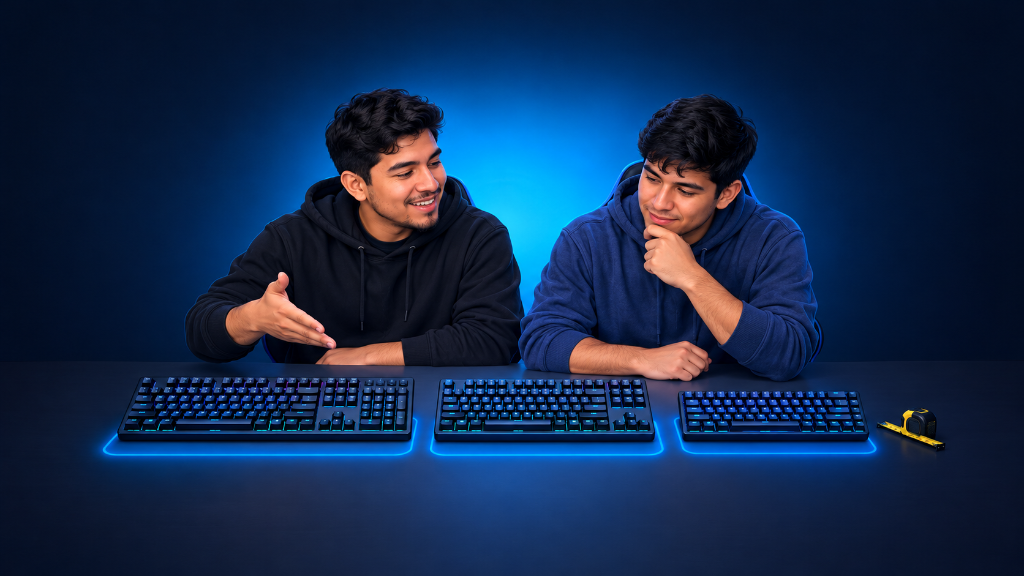
The best gaming keyboard size is not the biggest keyboard or the smallest keyboard. It is the size that gives you the keys you need without taking over your desk.
Start with three choices: full-size, tenkeyless (TKL), or compact. Pick full-size if you need a number pad. Pick tenkeyless if you want more mouse space but still want familiar keys. Pick compact if desk space matters most and you are comfortable using shortcuts for some keys.
Do not choose a layout just because it looks cleaner or more competitive. Choose the one that fits what you do every day.
For help choosing other important keyboard basics, read Mechanical Keyboards for Gamers: Choose the Basics That Matter.
The Desk That Felt Too Small
A player can have a good keyboard and still feel uncomfortable using it.
Maybe the keyboard is so wide that the mouse has very little room. Maybe a smaller keyboard looks great, but the player misses the arrow keys or number pad. Maybe they bought a keyboard for gaming but also need it for homework, work, or creative projects.
Keyboard size is really a desk-space decision and a key-needs decision.
Before choosing, look at what you use most. Then choose the smallest layout that still gives you the keys you truly need.
Choose the Space That Fits Your Play
Full-Size: Keep Every Common Key
A full-size keyboard includes the main letter keys, function keys, arrow keys, navigation keys, and a number pad.
This is a strong starting direction if you:
- Use a number pad often
- Play games that use many key commands
- Work with numbers, spreadsheets, or creative tools
- Want every common key in its usual place
- Have enough room on your desk for a wider keyboard
The tradeoff is simple: a full-size keyboard takes up more desk space. Your mouse may sit farther away from your main typing position.
Tenkeyless: Keep the Main Keys, Lose the Number Pad
A tenkeyless keyboard, often called TKL, removes the number pad but keeps the main typing keys, function keys, arrow keys, and navigation keys.
This is a balanced choice if you:
- Want more room for your mouse
- Do not use a number pad very often
- Want familiar arrow and function keys
- Want a smaller keyboard without learning many new shortcuts
- Play games that need broad mouse movement
A TKL layout gives many players a comfortable middle path. It saves space without removing too many keys.
Compact: Save the Most Desk Space
Compact keyboards come in several sizes, such as 75% and 65%. They remove more keys to make the keyboard shorter and easier to fit on a small desk.
This is a useful direction if you:
- Have very limited desk space
- Want the most possible room for your mouse
- Travel with your keyboard
- Like a clean, smaller setup
- Are comfortable using shortcuts or key layers for less-used commands
The tradeoff is that some keys may not have their own button. You may need to hold another key to use certain commands.
Choose Your Keyboard Size Direction
Use this list to make your starting plan:
- Choose full-size if you need a number pad, use many commands, or want every familiar key available.
- Choose TKL if you want extra mouse room but still want arrows, function keys, and a familiar layout.
- Choose compact if desk space is your biggest concern and you do not mind using shortcuts for some keys.
- Choose the larger option if you are unsure whether you can live without certain keys.
- Choose the smaller option only when you know which keys you can comfortably give up.
- Measure your desk first. Make sure your keyboard and mouse can sit comfortably beside each other.
- Name your must-have keys. Write down whether you need a number pad, arrow keys, function keys, or navigation keys before comparing keyboards.
Your first step is to write this sentence: “I need a keyboard with ______, and I need ______ amount of mouse space.” That sentence will point you toward the right layout.
Make Room for What You Use
Choosing a keyboard layout is like packing a backpack. A large backpack carries more items, while a smaller backpack leaves you lighter and gives you more room to move. The best choice depends on what you need to carry.
After choosing the keyboard size that fits your desk and gaming habits, explore more practical setup ideas in the Setup Zone category page.
Leave a Reply