
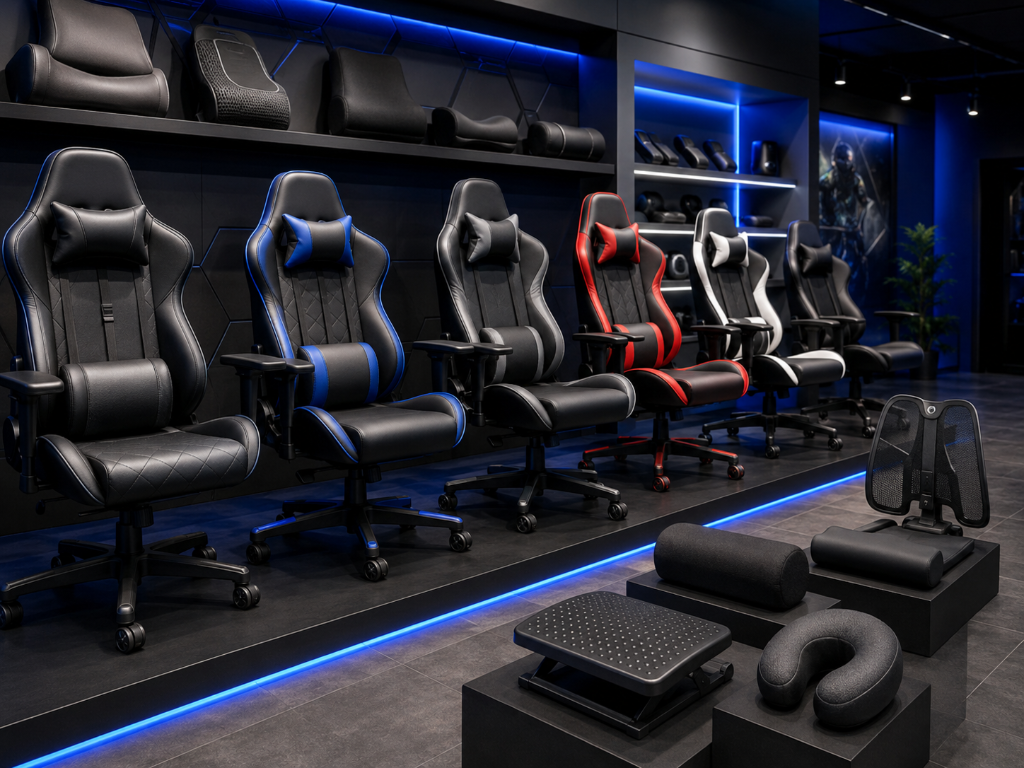
If your back, neck, shoulders, hips, or legs feel uncomfortable after gaming, your setup may be asking your body to work too hard.
For builders and hobbyists, this matters because video games as a hobby should feel sustainable. A chair, cushion, footrest, lumbar pillow, or posture accessory is not about making your setup look more “serious.” It is about reducing discomfort so you can enjoy gaming without fighting your own space.
The problem is not always that you need a new gaming chair.
Sometimes you need a better sitting position. Sometimes your screen height needs adjusting. Sometimes you need lower back support, a footrest, better arm placement, or shorter sessions.
The goal is to diagnose the discomfort first, then decide whether to adjust, add support, or upgrade.
If you are still sorting out which setup items matter most, our Beginner’s Guide to Gaming Accessories can help you separate useful accessories from optional extras.
From Pain to Comfort
Imagine a beginner who plays for an hour and starts feeling stiff.
Their lower back aches. Their shoulders feel tight. Their neck leans forward toward the screen. Their hips feel uncomfortable. They assume the answer is a gaming chair, so they start shopping.
But the real issue might be simpler.
Their screen is too low. Their feet do not rest flat. Their chair has no lower back support. Their controller position makes their shoulders tense. They sit too far away and lean forward without noticing.
Now imagine a more methodical builder.
Before buying a chair, they check what is going wrong. They raise the screen, add a small cushion for lower back support, move closer, relax their shoulders, support their feet, and take a short break between sessions.
The discomfort improves.
They may still upgrade later, but now they know what problem they are solving.
That is the smarter path.
Upgrade Based on Strain, Not Setup Envy
Gaming accessory mistakes often happen when comfort and functionality problems go unfixed.
Start with diagnosis.
If your lower back hurts, the root cause may be poor lumbar support, sitting too low, slouching into the chair, or staying in one position too long.
If your neck hurts, the screen may be too low, too high, too far away, or forcing you to lean forward.
If your shoulders feel tense, your arms may not be resting naturally, your desk may be too high, or you may be holding the controller, mouse, or keyboard in a raised position.
If your hips or legs feel uncomfortable, your chair height, seat depth, cushion firmness, or foot position may not fit your body.
If your wrists or hands feel strained, the issue may not be the chair at all. It may be desk height, mouse position, controller grip, keyboard angle, or session length.
Use this decision rule:
Adjust first. Add support second. Upgrade last.
Step 1: Adjust What You Already Have
Before buying anything, fix the basics.
Move the screen so you can look forward without leaning. Sit close enough that you do not crane your neck. Keep your feet supported. Relax your shoulders. Keep your arms in a natural position. Shorten the session if discomfort builds.
You will know this step is working if your body feels less tense within the same setup.
This is the fastest win because many posture problems come from placement, not the chair itself.
Step 2: Add Simple Support
If one comfort problem keeps showing up, add a simple accessory before replacing the whole chair.
A lumbar pillow can help if your lower back lacks support.
A footrest can help if your feet do not rest comfortably.
A seat cushion can help if the chair feels too hard, too low, or uncomfortable during longer sessions.
A small pillow or rolled towel can work as a temporary test before buying a dedicated posture accessory.
This helps you avoid guessing. If the simple support improves the problem, you have found the area that needs help.
Step 3: Upgrade Only When the Chair Still Fights You
Consider a chair upgrade only if your current chair cannot support you after basic adjustments and simple support tests.
A gaming chair is optional.
A comfortable, supportive chair is the real goal.
Some office chairs may be better than flashy gaming chairs. Some gaming chairs may work well for your body. The label matters less than the outcome.
A chair upgrade makes sense if:
Your back or hips keep hurting after adjustments.
The chair has poor support and cannot be improved with a cushion.
The chair height does not fit your desk.
The seat feels uncomfortable during normal sessions.
The chair makes you lean, slump, or tense your shoulders.
The chair is damaged, unstable, or no longer supportive.
Do not upgrade only because your setup looks less impressive than someone else’s.
Upgrade when the chair keeps creating repeat discomfort.
Quick Comfort Check
Before deciding what to buy, sit in your normal gaming position and check:
Can your feet rest comfortably?
Can you see the screen without leaning forward?
Does your lower back feel supported?
Are your shoulders relaxed?
Are your arms resting naturally?
Do your hips and legs feel comfortable?
Can you play a normal session without new strain?
If one answer is no, adjust that specific area first.
If several answers are no and the chair cannot be adjusted, a bigger upgrade may be worth considering.
This is common and fixable. You are not doing gaming wrong. Your setup just needs to match your body better.
Fix One Comfort Problem First
Gaming chairs and posture upgrades are like adjusting a bike seat: upgrade when your current setup makes you slouch, ache, or lose comfort over time, but do not replace it just because newer gear looks better if your current setup still supports you.
Fix this now: before your next gaming session, sit in your normal gaming position and check three things.
Can your feet rest comfortably? Can you see the screen without leaning forward? Does your lower back feel supported?
Adjust one weak spot today. Move the screen, add a small cushion, support your feet, relax your shoulders, or shorten the session.
Upgrade your chair only if the same discomfort keeps returning after those basic fixes.
After improving your sitting position, continue through the Setup Zone for more practical guides that help your gaming space feel comfortable, organized, and easier to use.
Leave a Reply