
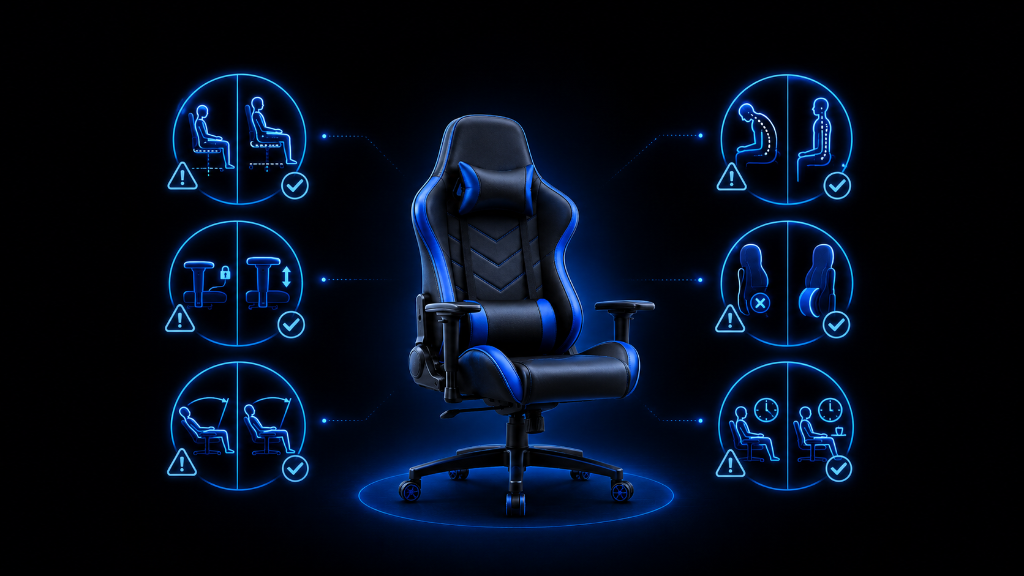
A gaming chair can look like a simple upgrade.
You buy the chair, assemble it, place it near your desk or screen, sit down, and start playing. But after using it for a while, problems can appear.
The chair feels uncomfortable.
Your back feels tired.
Your shoulders feel tense.
The armrests feel awkward.
The chair wobbles.
The cushions do not feel right.
The chair looked good online, but now it does not feel as helpful as expected.
For beginners, this can be frustrating because it is easy to think, “I bought the wrong chair.”
Sometimes that is true.
But sometimes the real problem is a common mistake that can be corrected.
Gaming chair mistakes usually happen in three places: buying, assembly, and adjustment. A beginner may choose the wrong size, ignore desk alignment, force the chair together during setup, use the cushions incorrectly, or leave the chair at a bad height.
The good news is that many of these problems are fixable.
The goal is not to feel bad about the mistake. The goal is to identify what went wrong, separate the problem into smaller parts, and correct one thing at a time.
Once you understand the most common gaming chair mistakes, you can avoid turning a small comfort problem into a long-term habit.
If you’re still learning what makes gaming chairs comfortable, supportive, and worth using, our Beginner’s Guide to Gaming Chairs: Comfort, Ergonomics & What Actually Matters walks you through the basics before small setup mistakes turn into long-term comfort problems.
The Chair That Was Blamed for Everything
A beginner buys a gaming chair to improve their setup.
At first, the chair feels exciting. It has a tall backrest, armrests, pillows, recline, and a design that makes the gaming area look more complete.
But after a few sessions, the excitement fades.
The lower back feels unsupported. The neck pillow feels strange. The shoulders feel tense. The chair does not roll smoothly. The seat feels tighter than expected. The beginner starts thinking the chair was a bad purchase.
So they blame the chair.
But when they look closer, several smaller problems appear.
The seat was slightly too narrow for how they like to sit. The chair height was too low for the desk, causing the shoulders to lift. The lumbar pillow was placed too high. The armrests were not adjusted. The wheels were dragging on the carpet. During assembly, one part had not been tightened evenly.
The chair may not have been perfect, but the discomfort did not come from one problem.
It came from several small mistakes stacking together.
That is why troubleshooting matters.
Instead of saying, “This chair is bad,” it is better to ask:
What specific symptom am I feeling?
What mistake could be causing it?
What is the safest fix to try first?
That turns frustration into correction.
Most Chair Problems Come From Fit, Setup, or Adjustment
One of the biggest beginner mistakes is choosing a chair by appearance first.
A chair can look like a serious gaming upgrade, but if it does not fit your body, it may never feel right. Seat width, seat depth, backrest height, and weight capacity matter more than color or style. If the chair squeezes your legs, leaves your feet unsupported, or places the back support in the wrong spot, the chair may feel uncomfortable no matter how good it looks.
Another common mistake is ignoring the full setup.
Beginners may blame the chair when the desk, screen, or controller position is part of the problem. If the desk is too high, your shoulders may tense. If the screen is too low, your neck may lean forward. If your chair is too high, your feet may dangle.
A chair works with the setup around it.
That means comfort problems can come from alignment, not only from the chair itself.
Another mistake is rushing assembly.
If screws are forced, parts are attached unevenly, or the backrest is tightened on one side before the other side is aligned, the chair may wobble or feel crooked. Assembly mistakes can make a good chair feel unstable.
Beginners also make mistakes with cushions.
Lumbar and neck pillows are not automatically helpful. If a lumbar pillow sits too high, too low, or feels too thick, it can push your body into an awkward position. If a neck pillow does not line up with your body, it may push your head forward instead of supporting it.
Support should feel natural.
If the cushion keeps distracting you, it may need to be moved, adjusted, or removed.
Another common mistake is setting the chair once and never adjusting it again.
Gaming habits change. A keyboard and mouse setup may need different support than a controller setup. A short session may feel fine, but a long session may reveal tension. Chair height, armrests, lumbar support, tilt, and backrest angle should be checked during real use.
Finally, beginners may ignore early warning signs.
A small wobble, a loose armrest, dragging wheels, back tension, or repeated shifting may seem minor. But small problems can become habits if they are ignored. It is better to correct discomfort early before your body starts adapting to a bad setup.
The safest way to fix gaming chair problems is simple:
Identify the symptom.
Find the likely cause.
Try one fix.
Test the result.
Then adjust again if needed.
Do not change everything at once. That makes it harder to know what helped.
Find the Mistake and Correct It
Use this checklist when your gaming chair does not feel right.
1. Symptom: Your lower back feels tired
Possible mistake:
The lumbar support is missing, too low, too high, too thick, or not matching your back.
Try this fix:
Move the lumbar support to the natural curve of your lower back. If it feels too aggressive, loosen it, lower it, or test the chair without it. Also check whether you can sit fully against the backrest.
2. Symptom: Your shoulders feel tense
Possible mistake:
The chair is too low, the desk is too high, or the armrests are forcing your shoulders upward.
Try this fix:
Adjust chair height first. Then check armrest height. Your shoulders should feel relaxed while your hands reach the keyboard, mouse, or controller naturally.
3. Symptom: Your neck keeps leaning forward
Possible mistake:
The screen is too low, too far away, or the neck pillow is pushing your head forward.
Try this fix:
Check screen position before blaming the chair. Move the pillow or remove it if it feels awkward. Your head should feel relaxed, not forced forward.
4. Symptom: Your legs feel squeezed
Possible mistake:
The seat is too narrow, the side bolsters are restrictive, or the chair size does not match your body.
Try this fix:
Check whether the chair gives you enough usable sitting space. If the chair shape is too narrow, adjustment may not fully solve the problem. Next time, prioritize seat width and fit before style.
5. Symptom: The back of your knees feels pressure
Possible mistake:
The seat depth is too long, or you are not sitting back correctly.
Try this fix:
Sit fully back and check whether the seat edge presses into your legs. If the pressure remains, the chair may be too deep for your body. Adjust posture and height if possible.
6. Symptom: Your feet do not feel stable
Possible mistake:
The chair is too high or the desk forces the chair into a height that does not support your feet.
Try this fix:
Lower the chair if possible. If lowering the chair makes the desk position worse, consider a footrest so your feet have support.
7. Symptom: The chair wobbles
Possible mistake:
The base, wheels, seat mechanism, or backrest may not be secured properly.
Try this fix:
Stop using the chair heavily until you inspect it. Check the wheels, base, screws, and backrest connections. Tighten parts evenly and avoid forcing anything.
8. Symptom: The armrests feel useless or annoying
Possible mistake:
They are too high, too low, too wide, too narrow, or blocking your desk position.
Try this fix:
Adjust them so your arms feel supported and your shoulders stay relaxed. If they get in the way, lower them or move your chair position.
9. Symptom: The chair rolls poorly
Possible mistake:
The wheels are not suited for the floor, the floor surface creates drag, or the wheels are not fully inserted.
Try this fix:
Check that the wheels are installed correctly. Look at your floor type. A chair mat or different wheels may help if the chair drags, scratches, or sinks into carpet.
10. Symptom: The chair feels uncomfortable only during long sessions
Possible mistake:
The chair was adjusted for the first few minutes, not for long-term use.
Try this fix:
Do a short comfort test before long sessions. Adjust height, feet, arms, lumbar support, backrest angle, and screen position one at a time. Notice which area gets tired first.
11. Symptom: The chair looked good online but feels wrong in real life
Possible mistake:
The buying decision focused on appearance instead of fit, comfort, and setup match.
Try this fix:
Identify whether the problem is size, material, support, or alignment. If the chair cannot fit your body or setup, keep that lesson for your next purchase decision.
12. Symptom: You keep adjusting the same part
Possible mistake:
That part may not be solving the real problem.
Try this fix:
Look one step wider. If you keep moving the lumbar pillow, check seat depth and backrest angle. If you keep changing armrests, check chair and desk height. If you keep leaning forward, check screen distance.
The right fix usually becomes clearer when you connect the symptom to the cause.
Fix the Cause, Not Just the Feeling
Fixing gaming chair mistakes is like troubleshooting a game setting. You do not restart everything first — you find the wrong setting, adjust it, and test if the problem improves.
Gaming chair problems can feel confusing because discomfort does not always point to one obvious answer.
Back pain does not always mean the chair is bad.
Shoulder tension does not always mean the armrests are wrong.
Neck strain does not always mean you need a pillow.
Sometimes the problem is chair size. Sometimes it is desk alignment. Sometimes it is assembly. Sometimes it is an adjustment that looked right but feels wrong during real use.
That is why the best troubleshooting pattern is simple:
Name the symptom.
Find the likely cause.
Make one fix.
Test the result.
Then decide the next step.
Do not change everything at once.
Do not blame the chair before checking the setup.
Do not ignore small warning signs.
A gaming chair should support your body, match your space, and make gaming feel easier. If it does not, look for the specific mistake before giving up on the whole setup.
Once you understand what went wrong, the fix becomes less stressful.
You are no longer guessing.
You are troubleshooting with a clear path.
After understanding how to spot and fix common gaming chair mistakes, try more setup strategies in our Setup Zone category page.
Leave a Reply