
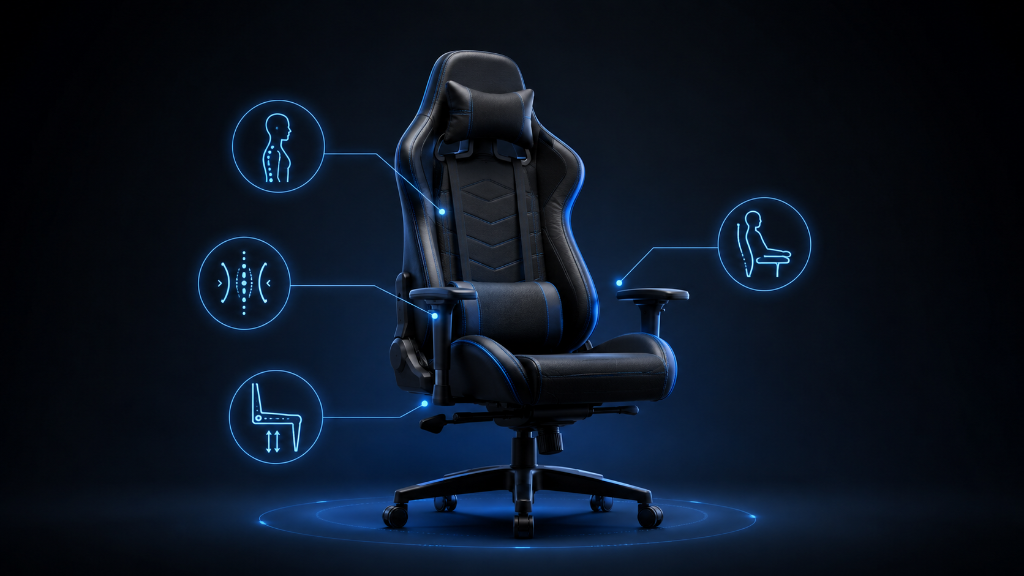
Ergonomics can sound complicated when you are new to gaming setups.
You may hear people talk about posture, lumbar support, armrest height, monitor position, desk alignment, and sitting angles. Then you look at your chair and wonder:
Am I sitting wrong?
Do I need a special gaming chair?
Is back support really that important?
What should good posture actually feel like?
For beginners, ergonomics does not need to be confusing. It simply means setting up your chair, desk, screen, and controls so your body does not have to fight the setup.
Good posture is not about sitting perfectly still like a statue. It is about giving your body enough support so you can play comfortably without creating unnecessary strain.
A good gaming setup should help your back feel supported, your shoulders stay relaxed, your arms rest naturally, your feet feel stable, and your screen sit at a comfortable viewing height.
That is the real goal.
You are not trying to become a posture expert.
You are trying to understand what comfortable support should feel like before you buy a chair, adjust a chair, or blame yourself for feeling uncomfortable.
Once you understand the basic posture zones, gaming chair decisions become much easier.
If you’re still learning what makes gaming chairs comfortable, supportive, and useful for gaming, our Beginner’s Guide to Gaming Chairs: Comfort, Ergonomics & What Actually Matters walks you through the basics before you judge posture, support, or chair features.
The “Sit Up Straight” Confusion
A beginner starts building a gaming setup and hears the same advice over and over:
Sit up straight.
At first, that sounds simple.
So the beginner tries to sit perfectly upright during every session. They pull their shoulders back, stiffen their back, hold their neck high, and try not to move too much.
For a few minutes, it feels disciplined.
Then it becomes uncomfortable.
Their shoulders get tense. Their lower back feels tired. Their neck starts leaning forward again. Their arms do not rest naturally. After a while, they start shifting around because “perfect posture” feels exhausting.
Now the beginner feels like they are doing something wrong.
But the problem is not that they failed at posture.
The problem is that posture was explained too rigidly.
Good posture is not about forcing your body into one perfect position forever. Gaming sessions involve movement. You lean forward during intense moments. You relax during slower moments. You adjust your arms, hands, legs, and back without thinking about it.
That is normal.
The better goal is supported posture.
Supported posture means your chair and setup help your body return to a comfortable position without strain.
You should not have to fight the chair.
The chair should help you stay comfortable.
Understand Posture by Comfort Zones
The easiest way to understand ergonomics is to break posture into simple zones.
Back Support
Your back should feel supported, especially your lower back.
This does not mean the chair has to push your back aggressively. It means your lower back should not feel like it is floating with no support. If your lower back gets tired quickly, the chair may not be supporting you well, or the support may be in the wrong place.
Lumbar support is the part of the chair that supports the lower back. Some gaming chairs use pillows. Some chairs have built-in support. Some regular chairs have a curved backrest.
The best option is the one that feels natural for your body.
Neck and Head Position
Your neck should not feel like it is constantly reaching forward.
When the screen is too low, too far away, or poorly positioned, beginners often lean their head forward without noticing. Over time, this can make the neck and shoulders feel tired.
A head pillow can help some people, but it is not always necessary. The more important goal is keeping your screen and chair position comfortable enough that your head does not keep drifting forward.
Shoulders
Your shoulders should feel relaxed.
If your armrests are too high, your shoulders may lift up. If your desk is too high, your shoulders may tense. If your chair is too low, you may reach upward toward the keyboard or mouse.
Relaxed shoulders are a good comfort signal.
If your shoulders feel tight during or after gaming, your chair height, desk height, or arm support may need attention.
Arms and Elbows
Your arms should rest naturally.
Whether you use a controller, keyboard, or mouse, your arms should not feel like they are hanging unsupported or being pushed into an awkward position. Good arm support helps reduce tension in the shoulders and wrists.
Armrests are useful when they match your body and desk. If they are too low, too high, too wide, or too narrow, they may not help much.
Hips and Seat Position
Your hips should feel stable in the seat.
The seat should give you enough room without squeezing your legs. If the seat is too narrow, you may feel restricted. If it is too deep, the front edge may press into the back of your legs. If it is too shallow, you may not feel fully supported.
This is why chair size matters.
A chair can have good features and still feel wrong if the seat does not fit your body.
Legs and Feet
Your feet should feel stable.
Ideally, your feet should rest flat on the floor or on a footrest. If your feet dangle, your legs may feel unsupported. If your knees are too high or too low, the chair height may not match your body or desk.
Stable feet help the rest of your posture feel more natural.
Screen and Desk Alignment
Your chair does not work alone.
Your posture also depends on your desk and screen position. If the screen is too low, you may bend your neck. If the desk is too high, your shoulders may rise. If the chair is too low, your arms may reach upward. If the chair is too high, your feet may not rest comfortably.
This is why ergonomics is not only about buying a better chair.
It is about making the chair, desk, screen, and controls work together.
Good posture should feel supported, relaxed, and repeatable.
If you can sit comfortably, reach your controls easily, and return to a relaxed position after moving around, your setup is doing its job.
What Good Gaming Posture Should Feel Like
Use this checklist before buying or adjusting a gaming chair.
1. Check your back
Ask:
Does my lower back feel supported?
Can I sit upright without forcing it?
Does the lumbar support feel natural?
Does my back get tired quickly?
Do I feel like I am collapsing into the chair?
A good chair should support your back without making you feel stiff.
2. Check your neck
Ask:
Is my head reaching forward?
Is my screen too low or too far away?
Does my neck feel tired after playing?
Does the headrest or pillow actually help?
Can I look at the screen comfortably?
Your neck should feel relaxed, not pulled forward.
3. Check your shoulders
Ask:
Are my shoulders relaxed?
Are my armrests too high?
Is my desk forcing my arms upward?
Do I feel tension while using the keyboard, mouse, or controller?
Do I keep shrugging without noticing?
Relaxed shoulders usually mean your chair and desk are working better together.
4. Check your arms
Ask:
Can my arms rest naturally?
Are my elbows comfortable?
Do the armrests support me without getting in the way?
Can I use my controller, keyboard, or mouse without reaching awkwardly?
Do my wrists feel forced into a strange angle?
Arm comfort matters because your hands are constantly involved in gaming.
5. Check your seat fit
Ask:
Is the seat wide enough?
Is the seat depth comfortable?
Do the side edges press into my legs?
Does the front of the seat push against the back of my knees?
Can I shift position without feeling trapped?
A chair should fit your body, not force your body to fit the chair.
6. Check your legs and feet
Ask:
Can my feet rest comfortably?
Do my legs feel supported?
Is the chair too high or too low?
Would a footrest help?
Do my knees feel awkward after sitting?
Stable feet help create stable posture.
7. Check the full setup
Ask:
Does my chair height match my desk?
Does my screen position feel comfortable?
Can I reach my controls easily?
Do I feel better after adjusting one part?
Is the chair solving comfort problems or creating new ones?
A good posture setup is a system. The chair, desk, screen, and controls all affect each other.
The right choice is the setup that helps your body feel supported without constant effort.
Use Ergonomics as a Comfort Guide
Ergonomics is like tuning your gaming settings.
You do not need to understand every technical detail to know when something feels wrong. You adjust the setting, observe the result, and keep what feels better.
Your posture works the same way.
You are looking for comfort signals.
Back supported.
Neck relaxed.
Shoulders calm.
Arms resting naturally.
Seat fitting your body.
Feet stable.
Screen easy to view.
That is what good posture means for gaming.
It is not about sitting perfectly.
It is about creating a setup that supports you well enough to keep gaming comfortably.
Before buying a gaming chair, use posture basics to judge whether the chair actually helps your body. Before blaming yourself for discomfort, check whether your chair, desk, screen, and controls are working together.
Good ergonomics should make gaming feel easier on your body.
Once you understand that, chair decisions become clearer.
You are no longer buying based only on style or features.
You are choosing based on comfort, support, and how your setup actually feels.
After understanding what good gaming posture should feel like, try more setup strategies in our Setup Zone category page.
Leave a Reply