
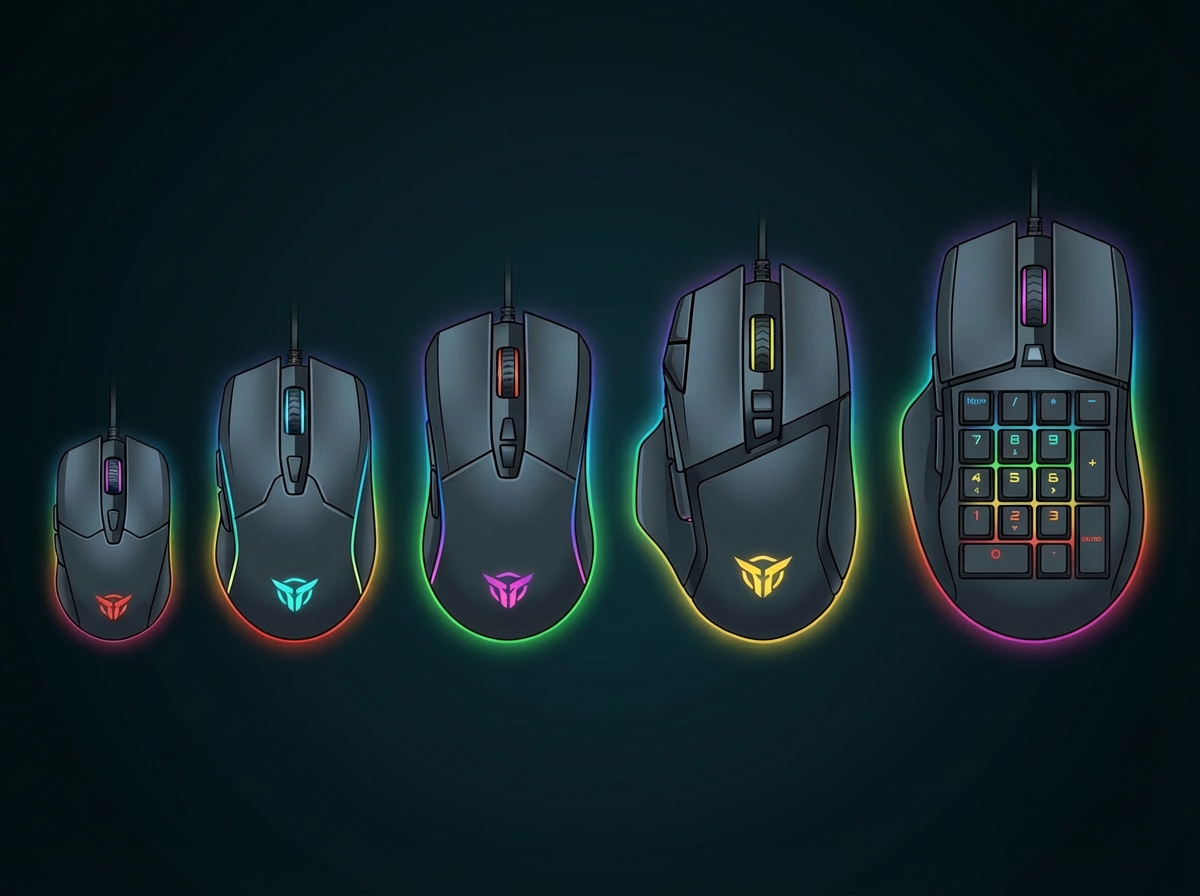
When choosing a gaming mouse, most beginners focus on DPI, buttons, or RGB lighting. But after an hour of play, one thing becomes obvious:
If the mouse doesn’t fit your hand, nothing else matters.
Gaming as a hobby is built on repetition. Thousands of small movements add up. The wrong size or shape creates tension, fatigue, and inconsistent control. The right one quietly supports your grip and almost disappears in your hand.
Understanding mouse size and shape isn’t complicated—it’s practical.
Before diving deeper, pickup the basics with our “Beginner’s Guide to Gaming Mice” master blog post.
Comfort Beats Raw Specs
When I bought my first gaming mouse, it came with detachable side grips—wide and narrow options. The wider grips made the mouse feel bulky, almost like holding a brick. Quick adjustments felt restricted.
After switching to the slimmer grips, everything changed. My hand felt relaxed. I had more freedom of movement. I wasn’t squeezing the mouse to control it.
The molded ergonomic shape also mattered. It followed the curve of my hand naturally. My grip felt supported without tension. The sensor didn’t change—but control improved because the fit improved.
That’s when I realized:
Performance starts with comfort.
What Size and Shape Actually Do
Mouse size and shape directly influence:
- Grip stability
- Finger reach to buttons
- Wrist tension
- Long-session fatigue
Before buying, measure your hand:
- Measure from the base of your palm to the tip of your middle finger.
- Under ~17 cm → Small mice often fit better
- ~17–19 cm → Medium size is usually safe
- 19 cm+ → Large mice may provide better support
(These are general guidelines, not strict rules.)
Mouse Size Categories
Small Mice
- Easier to move quickly
- Often lighter
- Ideal for fingertip or claw grip
- Can feel cramped for larger hands
Medium Mice
- Balanced and versatile
- Fit most hand sizes
- Good starting point for beginners
Large Mice
- More palm support
- Suitable for palm grip users
- Can feel bulky for smaller hands
Shape Matters as Much as Size
Two common shapes:
Ergonomic (right-handed curves)
- Natural hand angle
- Strong palm support
- Often more comfortable for long sessions
Ambidextrous (symmetrical)
- Neutral shape
- Flexible grip positioning
- Good for claw or fingertip grip
Match to Your Grip Style
- Palm Grip → Entire hand rests on mouse → Usually medium to large size
- Claw Grip → Palm partially raised, fingers arched → Medium size often works well
- Fingertip Grip → Only fingers control movement → Smaller, lighter mice often preferred
If your fingers feel stretched or curled excessively, the size is likely wrong.
Practical Test
Hold the mouse for 20–30 minutes of normal use:
- Are your fingers relaxed?
- Can you reach side buttons without shifting your grip?
- Does your wrist feel neutral—not angled upward or sideways?
If yes, the size and shape are working.
Beginner Rule
Choose the mouse that feels natural after extended use—not the one with the most features or the flashiest design.
Fit first. Specs second.
A Comfortable Fit Wins
A gaming mouse is like a well-fitted glove. If it fits, you forget it’s there. If it doesn’t, you feel it constantly.
Before chasing advanced features, match the mouse to your hand size and grip style. Gaming as a hobby grows strongest when your tools support long sessions without strain.
Continue exploring the Setup Zone and refine your setup with intentional choices that prioritize comfort and control.
Leave a Reply