
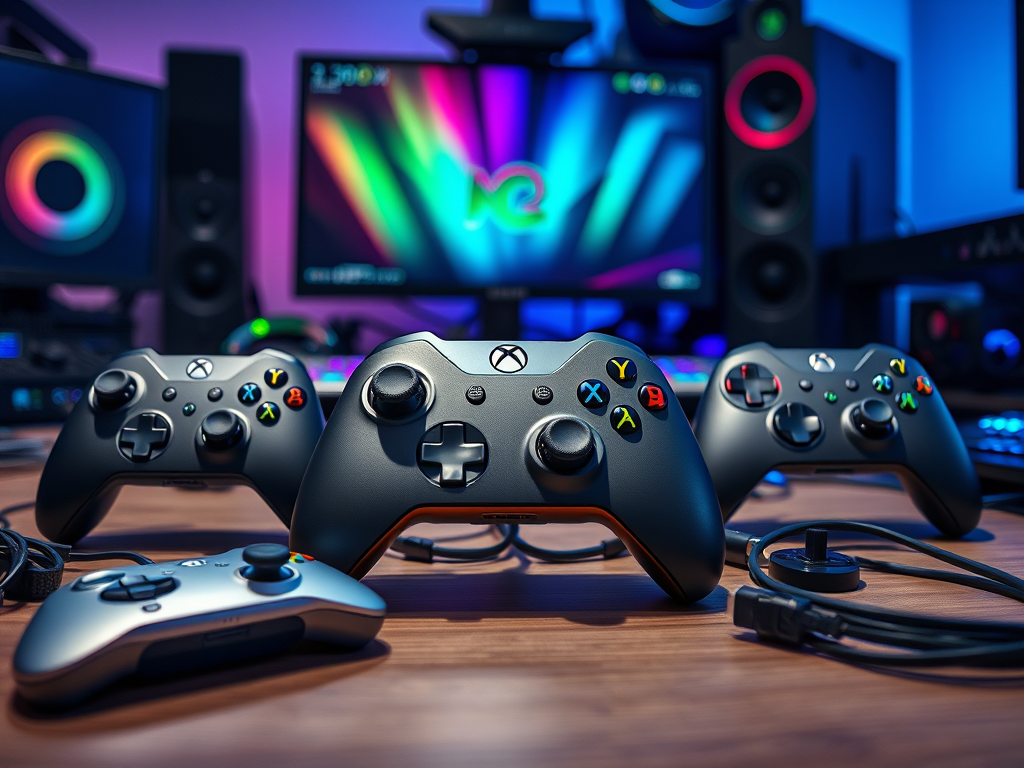
You turn on your gaming system and reach down to grab your controller—when suddenly your dog trips over the wire and sends it tumbling down the stairs. A few seconds later, springs and screws are scattered across the floor.
What now?
It’s time to buy a new controller, but the question hits fast: Which one is right for me?
Many new gamers get stuck choosing controllers based on looks or flashy features. The truth is, beginners don’t need the most advanced controller on the shelf.
You just need one that feels comfortable in your hands, works with your device, and makes gaming simple and enjoyable. Let’s remove the confusion and make this choice easy.
My First Controller Story
When I first started gaming, I played almost everything with a keyboard and mouse. It felt natural, especially with shortcuts and quick inputs. But as modern games evolved, developers began recommending controllers for the best experience—especially for adventure, racing, and action games.
My first question was simple: What’s the best controller for PC games?
After browsing online stores, I realized how many options existed. Some controllers were made for consoles only. Others worked for PC, but not all games. I tried everything—from cheap wired controllers to expensive wireless ones. Some didn’t feel right. Others had connection issues.
Eventually, I settled on the Xbox controller because it worked smoothly with both PC and consoles. Over time, I learned something important: beginners only need a few basic gaming setup features to have a great experience. Everything else is optional.
Gaming Controller Features
Here’s what beginners should look for when choosing a gaming controller:
Budget
Most beginner-friendly controllers cost $25–$50.
There’s no need to spend more until you understand your play style.
Mood
Design matters more than people think. Choose a controller color and shape that feels comfortable and enjoyable. Avoid overly complex designs that distract from gameplay.
Brands to Consider
- Xbox (Microsoft)
- Logitech
- Turtle Beach
These brands are reliable, beginner-friendly, and widely supported.
Wired vs. Wireless
Wired Controllers
- No batteries or charging
- No connection issues
- Usually cheaper
- Best for desk or close-range play
Wireless Controllers
- Cleaner setup
- Play from a distance
- Requires batteries or charging
- May need software updates
If you want simplicity, start wired.
Comfortable Design
Choose a controller that feels natural in your hands. Avoid controllers that feel too bulky, too small, or awkward to grip.
Compatibility (Critical Step)
Always check:
- PC
- Console
- Mobile support
Many controllers support multiple platforms, but not all features work everywhere. This step prevents frustration.
Responsive Buttons
Buttons should feel firm and responsive—not mushy or delayed.
Good Triggers & Joysticks
Smooth triggers and analog sticks improve:
- Aiming
- Driving
- Exploring
- Camera control
This matters more than extra buttons.
Basic Vibration (Rumble)
Not required, but adds immersion and feedback—especially helpful for beginners.
Simple Layout
Two joysticks, a D-pad, triggers, and basic buttons are more than enough to start.
Simple Setup
- Plug it in
- Install drivers only if needed
- Add batteries if wireless
- Test buttons, triggers, and joysticks
Quick Starter Checklist
If you’re a new gamer, start with:
- A well-known brand
- A wired controller
- A simple design and color theme
Controller Maintenance Checklist
- Unplug controller
- Never use alcohol
- Wipe with a soft cloth
- Use mild soap and water for deeper cleaning
- Use Q-tips for tight spaces
- Clean regularly to avoid slow button response
A well-maintained controller lasts longer and feels better during gameplay.
You don’t need elite, customizable, or professional controllers yet. Start simple, comfortable, and reliable—then upgrade later once you understand your gaming style.
Grab and Customize your Controller
Choose a beginner-friendly controller today—one that fits comfortably in your hands, works with your device, and matches your mood. A good controller makes every game feel smoother and more enjoyable.
When you’re ready to grow your skills, explore our Next-level Gaming category for more beginner-friendly tips.
Leave a Reply